Product Manual — Doc. 8745H TSS-70 Series • 83
To edit the static IP address, the static subnet mask, the static default router, the preferred DNS, or the
alternate preferred DNS, tap the text field underneath the setting name.
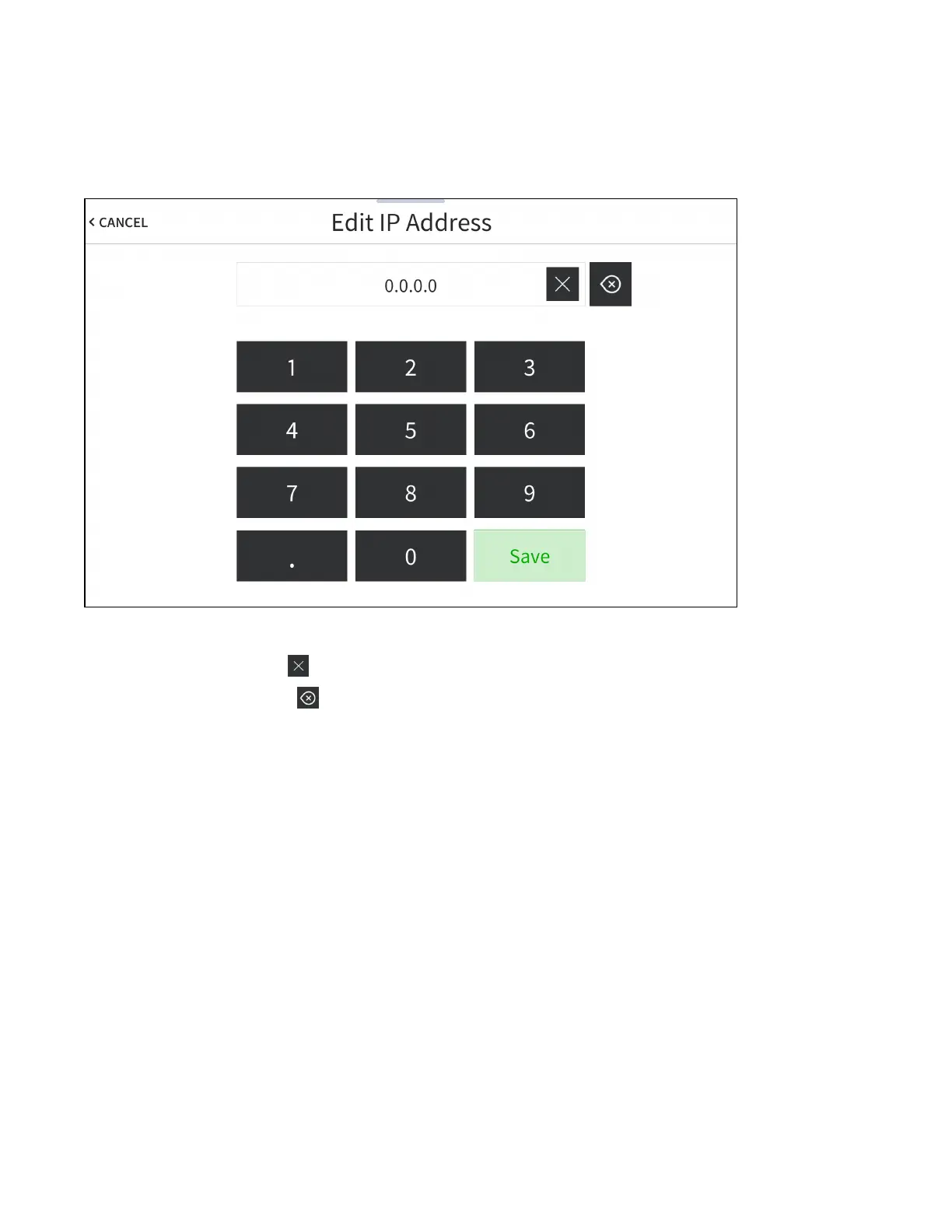
The on-screen numeric keypad opens for the chosen setting.
Edit IP Address On-Screen Numeric Keypad
l
Use the keypad to make a new entry.
l
Tap the clear button in the text field to clear any previous entry.
l
Tap the delete button to delete the last digit.
l
Tap Save to save a new entry or tap < CANCEL to discard any changes. The display returns to the
Static IP Ethernet Setup screen.
After new settings have been saved, tap APPLY CHANGES on the WiFi Static IP Setup screen to apply
the new settings and stay in setup mode. Tap REBOOT to exit setup mode and restart the touch screen.
Tap < BACK to return to the Wi-Fi Setup screen.
Tap < BACK on the Wi-Fi Setup screen to return to the Setup screen.



 To Next Page