72 • TSS-70 Series Product Manual — Doc. 8745H
Local Configuration
Refer to the following sections for information about configuring the device locally using its built-in
setup screens.
Access the Setup Screens
The setup screens enable basic configuration prior to regular operation of the touch screen.
To access the touch screen's built-in setup screens during regular operation, place five fingers on the
display and hold for 15 seconds.
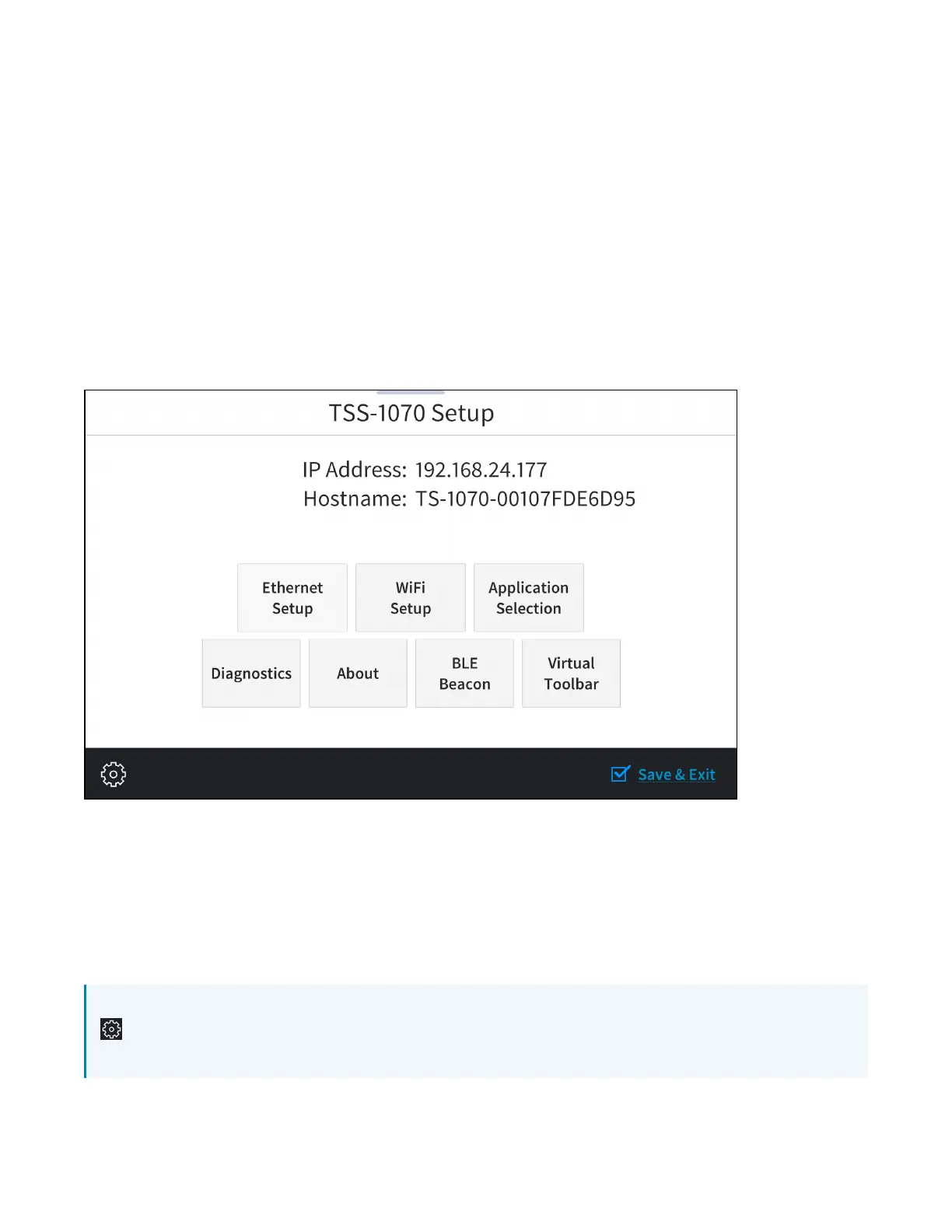
The main Setup screen is displayed (TSS-770 shown).
TSS-770 Setup Screen
The Setup screen shows the IP address and host name of the touch screen and provides the following
configuration selections:
l
Buttons for Ethernet setup, application selection, Wi-Fi® network setup, diagnostics, Bluetooth®
beacon configuration, and the virtual toolbar.
l
An About button that provides information about the touch screen.
The functions of each button are detailed in the following sections.
NOTE: A toolbar is present on the bottom of all setup screens. The toolbar provides a gear button
that may be tapped to return to the Setup screen and a Save & Exit button that may be tapped
to save all settings, to exit the setup screens, and to return to the selected scheduling application.



 To Next Page