30 • AirMedia Presentation Gateway Deployment Guide – DOC. 7693K
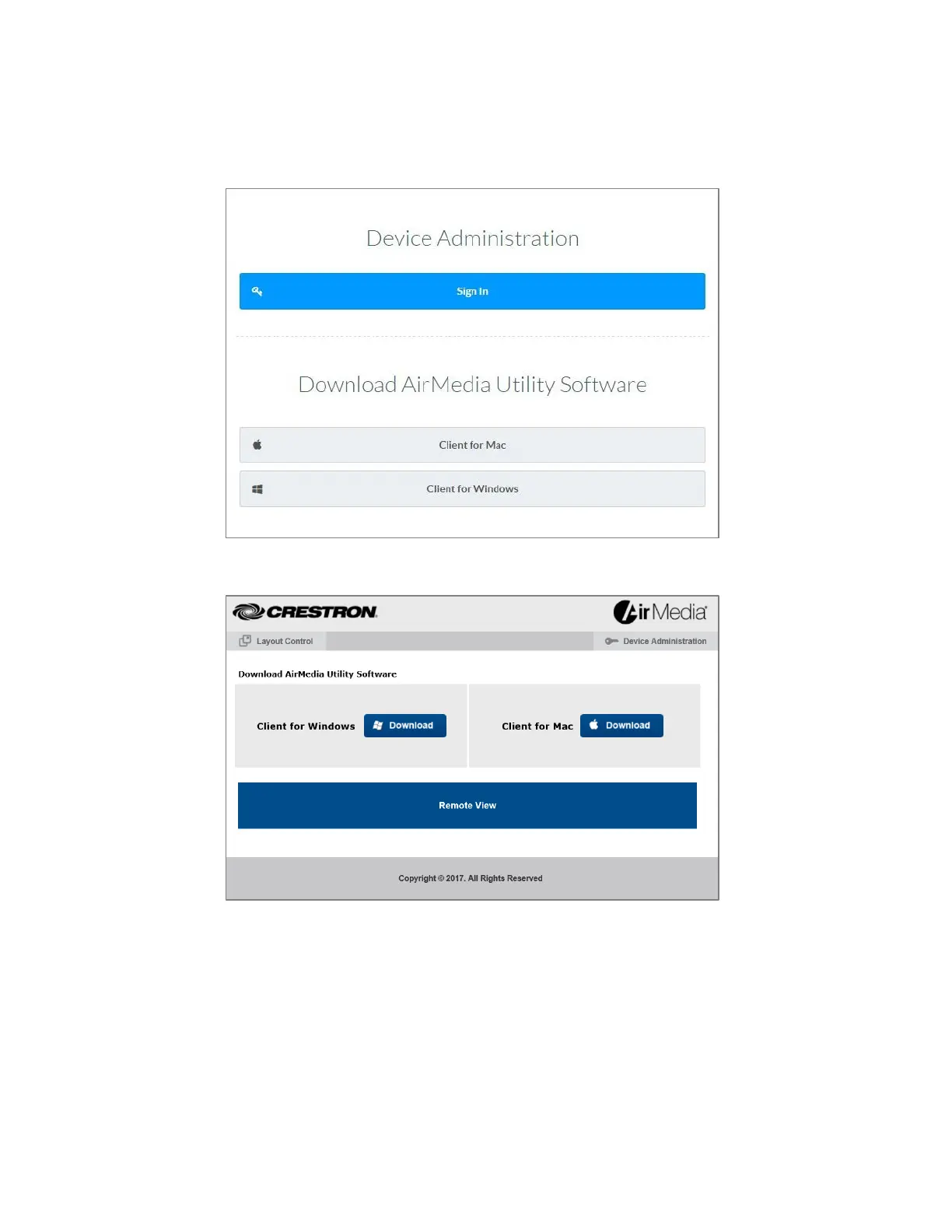
2. Download the Client for Mac® software.
AirMedia Download Screen for AM-200, AM-300, DMPS3, and CCS-UC-1
AirMedia Download Screen for AM-100 and AM-101
3. Run the application.
4. If prompted, enter the login code as shown on the connected display.
- If connecting to an AM-100 that is connected to a configured Crestron
Connected display, the display will turn on automatically, and the
presentation session begins.
- If the device is an AirMedia 2.0 device, or an AM-101 in mirroring mode, a
dialog box is displayed, showing guidance on using the native mirroring
function that is built into macOS. Follow the directions to begin the






 To Next Page