Deployment Guide – DOC. 7693K AirMedia Presentation Gateway • 31
presentation session. If a Crestron Connected display is connected and
configured for operation, the display turns on automatically during the
process.
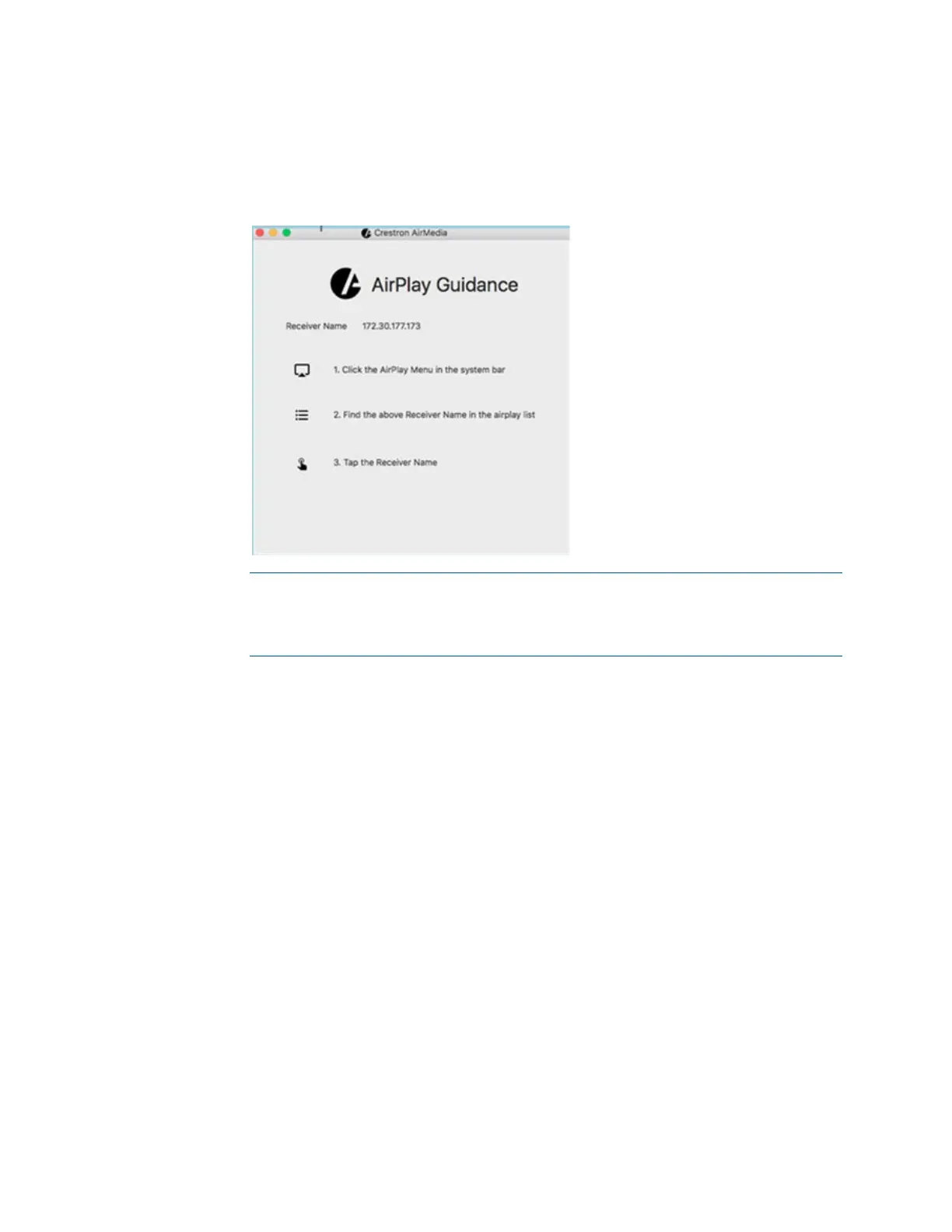
AirPlay® Software Guidance Dialog Box
NOTE: Only one macOS or iOS device using the native mirroring function can
be connected at a time to an AirMedia device. If any other sender connects to
the AirMedia device, the last connected device will be disconnected and the
connection procedure will need to be repeated.
Airmedia Deployable Application
The deployable application shows the user a list of devices on the Connect dialog box.
The user can select a device for connection or search for a device within a longer list of
devices.






 To Next Page