32 • AirMedia Presentation Gateway Deployment Guide – DOC. 7693K
To connect to a device, perform the following procedure.
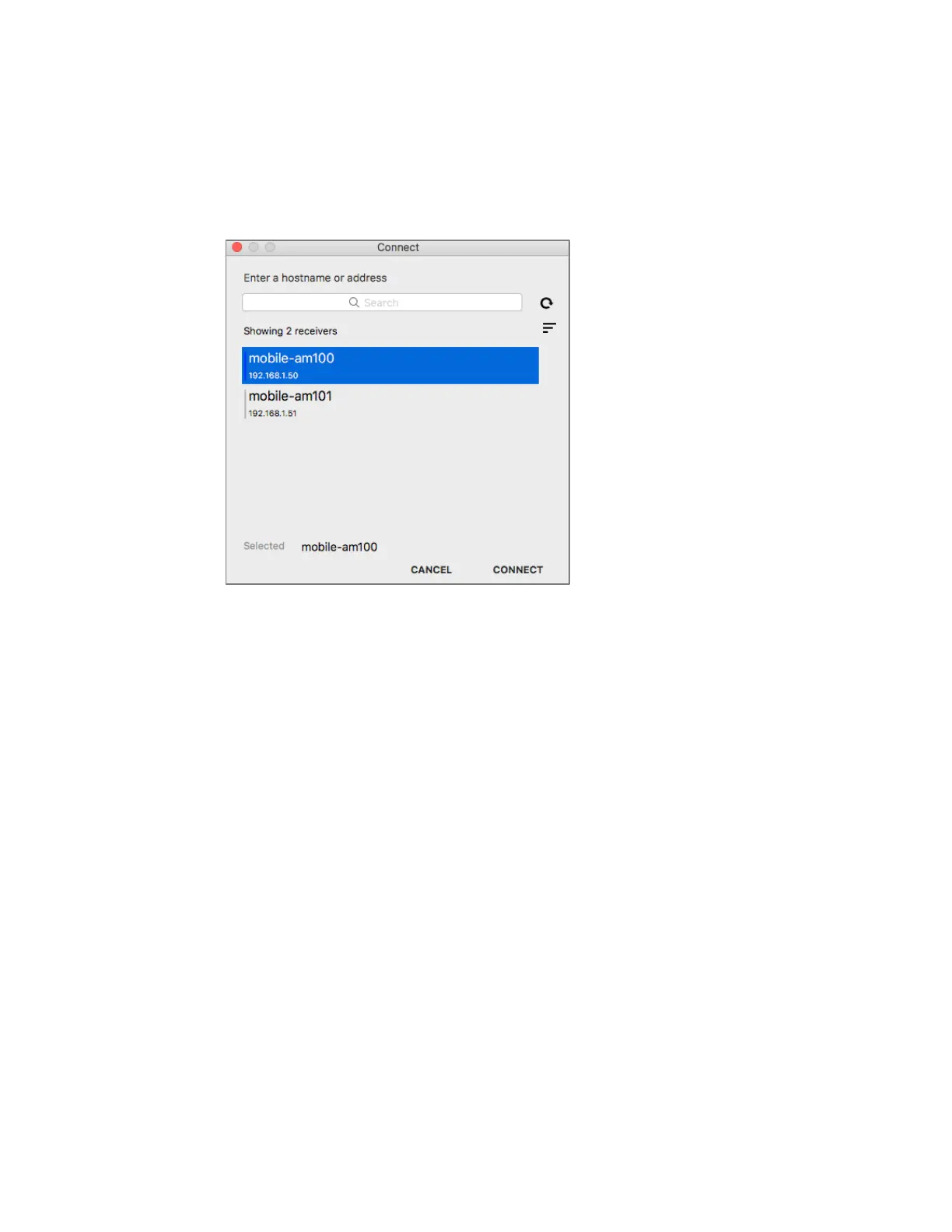
1. Launch AirMedia. The Connect dialog box is displayed. The Connect dialog box on
macOS is inherently different from the Windows user interface, as shown below.
Connect Dialog Box
2. From the Connect screen, select a gateway from the list.






 To Next Page