Crestron FT-TS600 FlipTop Touch Screen
Operations & Installation Guide – DOC. 7585B FlipTop Touch Screen: FT-TS600 • 15
On-Screen Numeric Keypad
Use the keypad to make the new entry. Touch the “x” in the text field to clear any
previous entry. Touch
to delete the last digit. Touch Save to save a new entry
or
to return to the “Ethernet Setup – Static IPs” screen.
After new settings have been saved, touch Reboot Required to Apply IP Changes
on the “Ethernet Setup – Static IPs” screen to reboot the touch screen, so the new
settings can take effect.
If not making any changes, touch
to return to the “Ethernet Setup” menu.
Touch
again to return to the “Setup” menu.
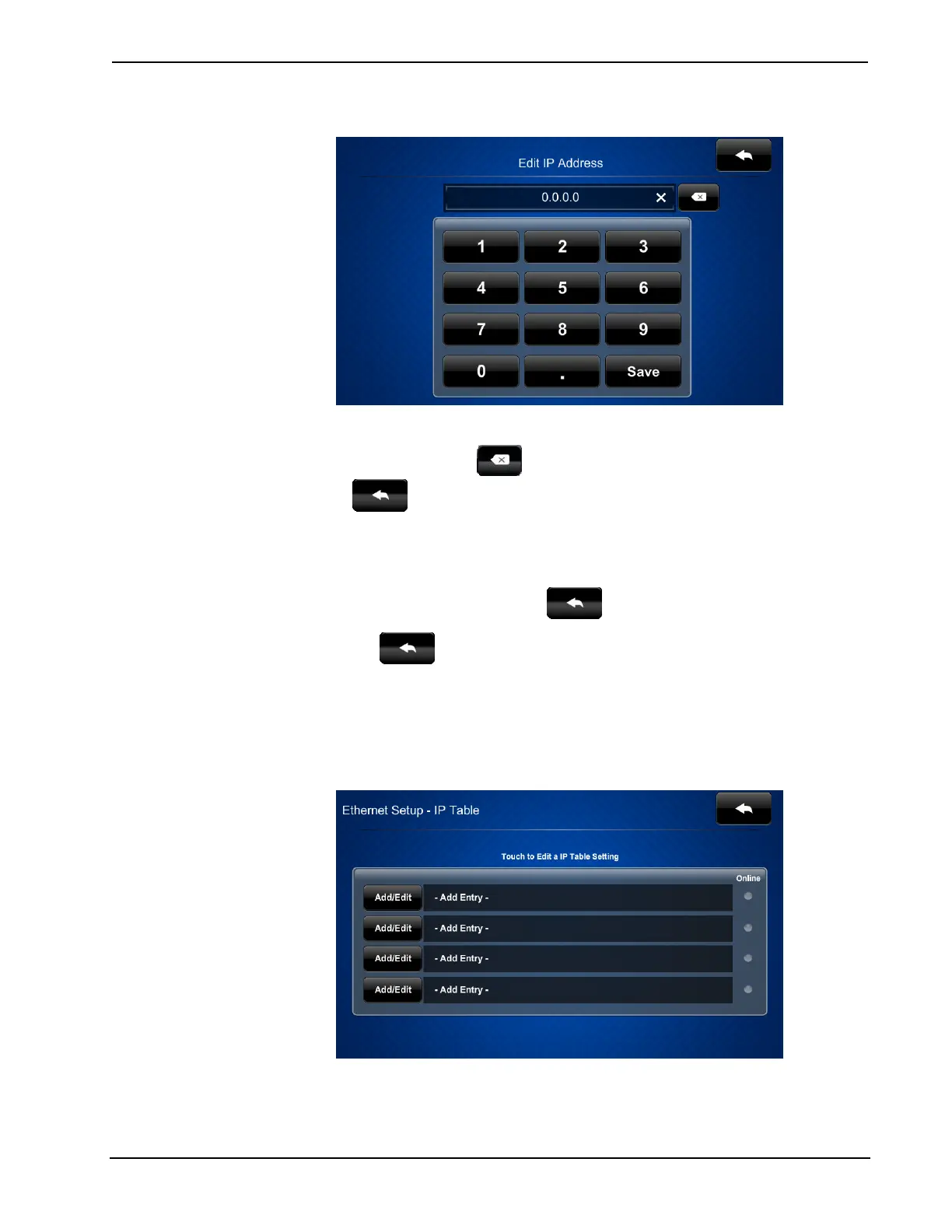
IP Table Setup
On the “Setup” menu, touch IP Table Setup to display the “Ethernet Setup – IP
Table” menu.
“Ethernet Setup –IP Table” Menu











 To Next Page