FlipTop Touch Screen Crestron FT-TS600
28 • FlipTop Touch Screen: FT-TS600 Operations & Installation Guide – DOC. 7585B
Hardware Hookup
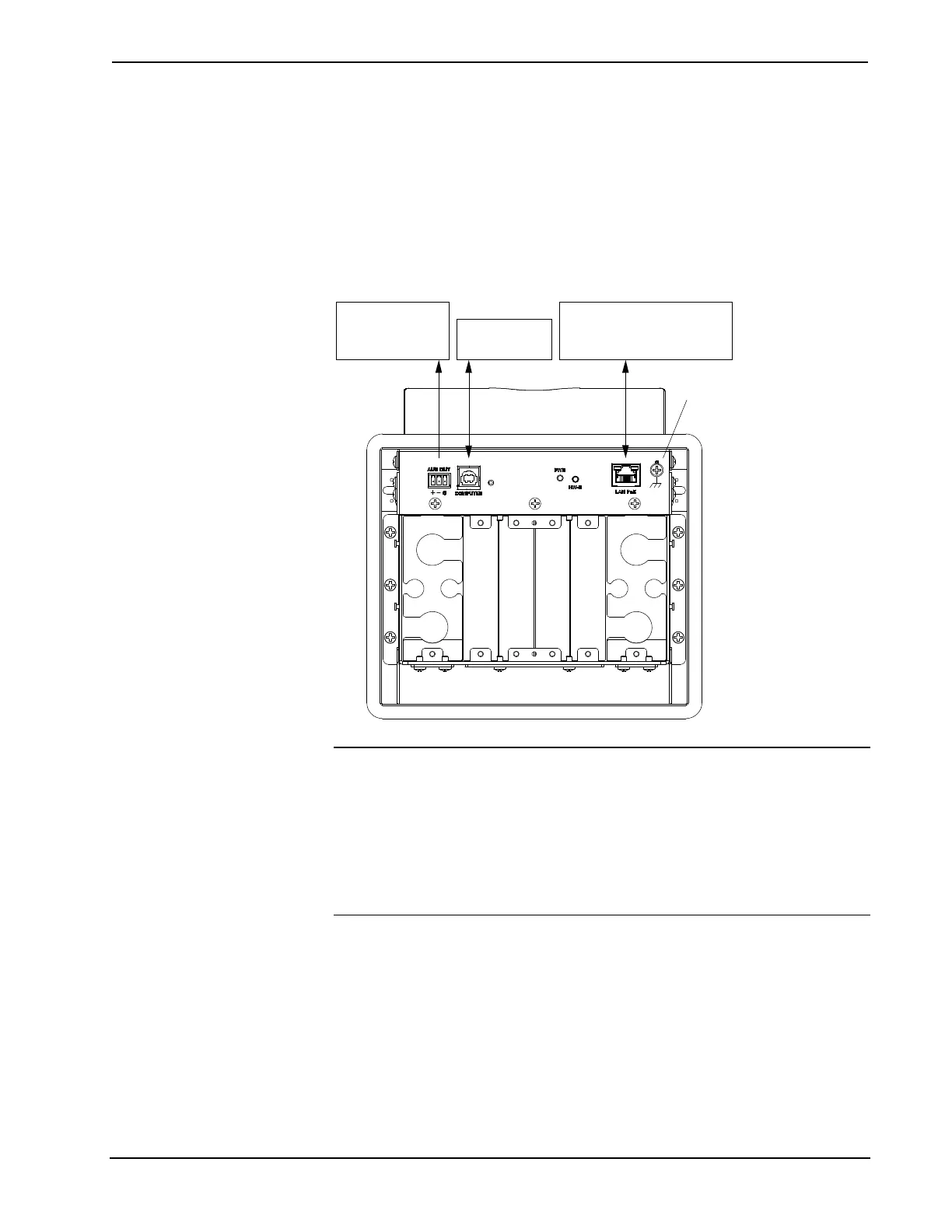
Make the necessary connections as called out in the illustration that follows this
paragraph. Apply power after all connections have been made.
When making connections to the FT-TS600, note the following:
• Use Crestron power supplies for Crestron equipment.
• The included cable cannot be extended.
Hardware Connections for the FT-TS600
Ground
LAN PoE:
10BASE-T / 100BASE-TX
Ethernet to LAN
COMPUTER:
To PC
AUD OUT:
To Balanced
Line Level Input
CAUTION: Do not apply excessive pressure to the touch screen display during
handling. Doing so can crack the screen and damage the touch screen.
NOTE: Ensure the unit is properly grounded by connecting the chassis ground lug
to an earth ground (building steel).
NOTE: To prevent overheating, do not operate this product in an area that exceeds
the environmental temperature range listed in the table of specifications.











 To Next Page