Crestron FT-TS600 FlipTop Touch Screen
Operations & Installation Guide – DOC. 7585B FlipTop Touch Screen: FT-TS600 • 27
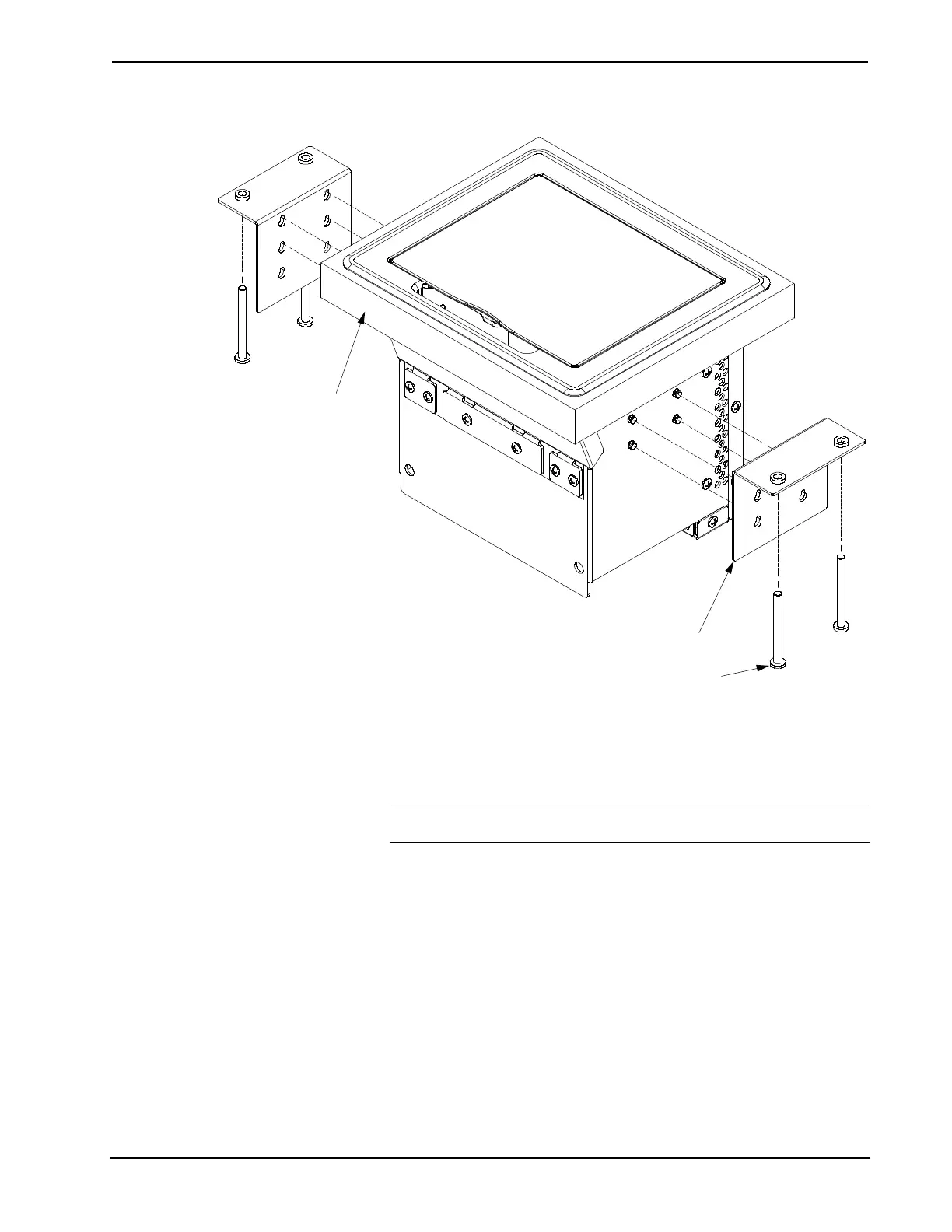
Mounting Plate Installation
Screws (4) #10-32 x 2”,
Steel, Socket HD
Mounting Plates (2)
Mounting Surface
3. Slide the mounting plates over the studs on each side of the FT-TS600.
4. Turn the four #10-32 socket screws equally, until they contact the underside
of the mounting surface.
NOTE: Do not overtighten the #10 screws as this may damage the surface
or the unit.











 To Next Page