FlipTop Touch Screen Crestron FT-TS600
26 • FlipTop Touch Screen: FT-TS600 Operations & Installation Guide – DOC. 7585B
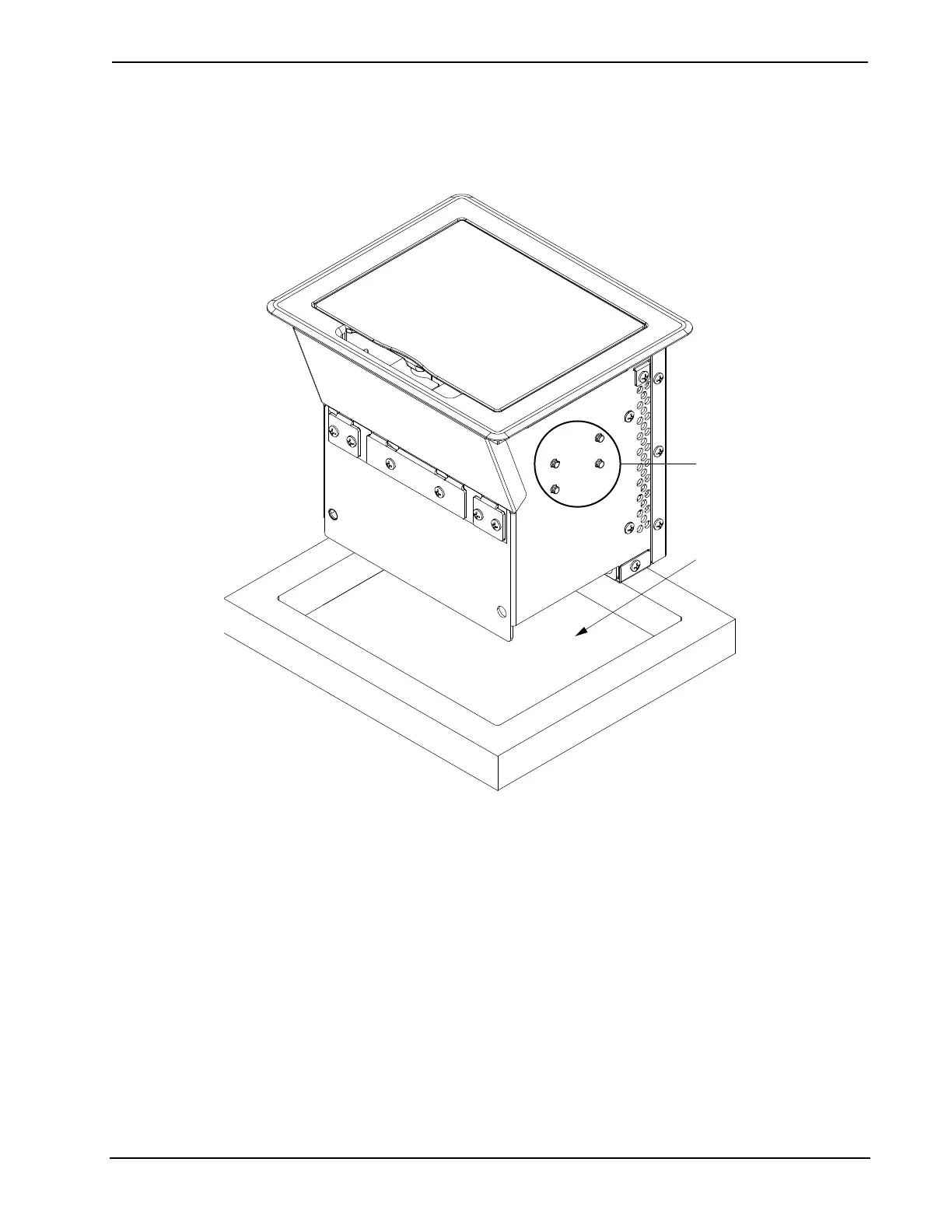
Use the following procedure to mount the FT-TS600.
1. Position the FT-TS600 in the mounting hole.
Mounting Plate Stud Locations
Surface Cutout
Studs for Mounting Plate
2. Install the four #10-32 socket screws (2037109) in the metal mounting
plates (2036985) (two screws per plate). Refer to the following illustration.











 To Next Page