Crestron FT-TS600 FlipTop Touch Screen
Operations & Installation Guide – DOC. 7585B FlipTop Touch Screen: FT-TS600 • 25
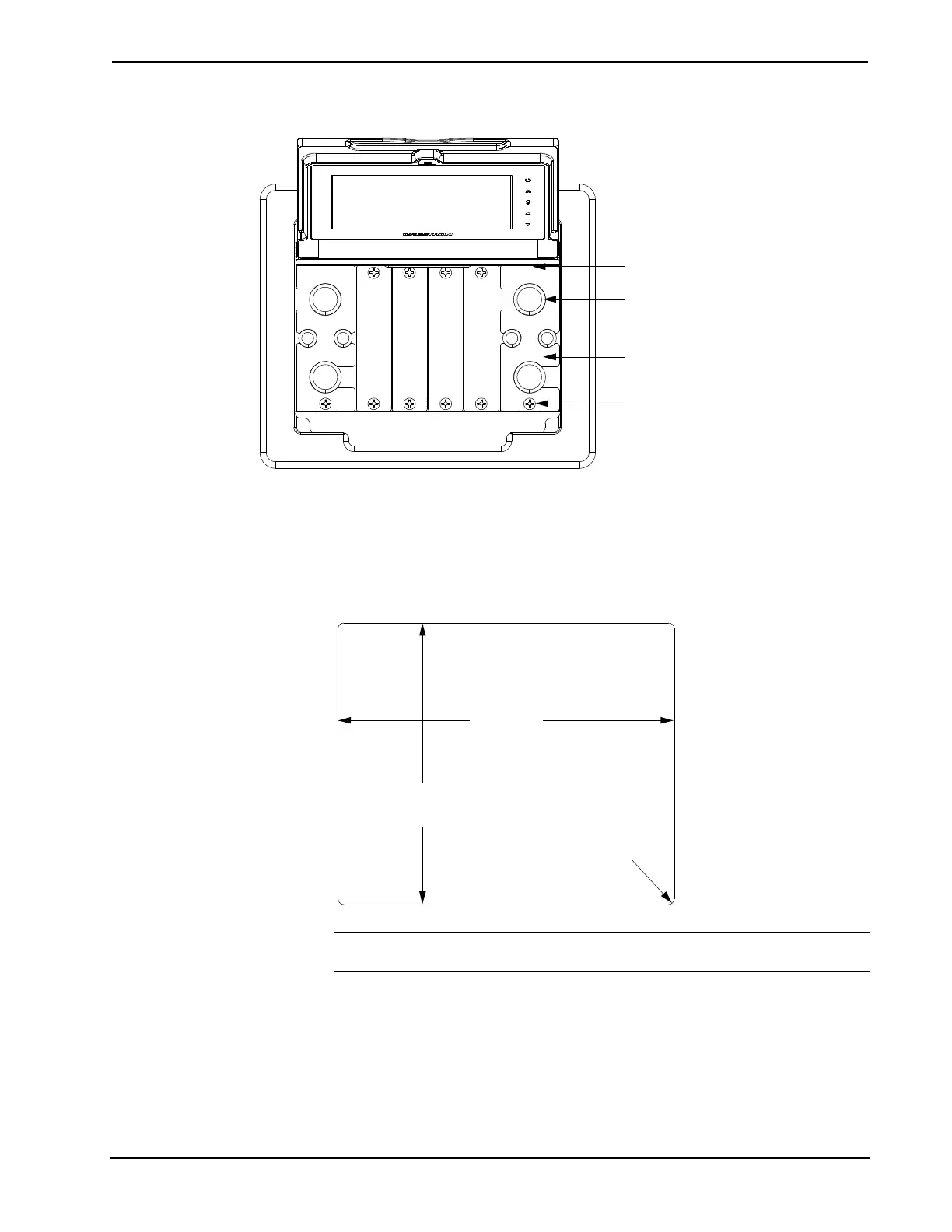
Cable Management Plate Installation
Cable Management Plates (2)
Bushing
06-32 x 1/4” Screws (2)
Mounting Plate Dovetail Inserts Here
Mounting in a Surface
The FT-TS600 is designed to mount in a horizontal surface, such as a desktop,
lectern, or podium. The following diagram illustrates the required opening size to
accommodate the FT-TS600. A cutout template (40143) is included.
Cutout Dimensions
Maximum
Radius
1/8 in
(4 mm)
6 1/4 in
(159 mm)
7 1/2 in
(190 mm)
NOTE: Before inserting the FT-TS600 in the mounting hole, ensure that all
required cables have been installed.
Tools required:
• Phillips screwdriver
• #10 Allen wrench











 To Next Page