Supplemental Guide – DOC. 7761A HD-MD-6X2/4X2/4X1-4K-E: 4K HDMI Switchers
13
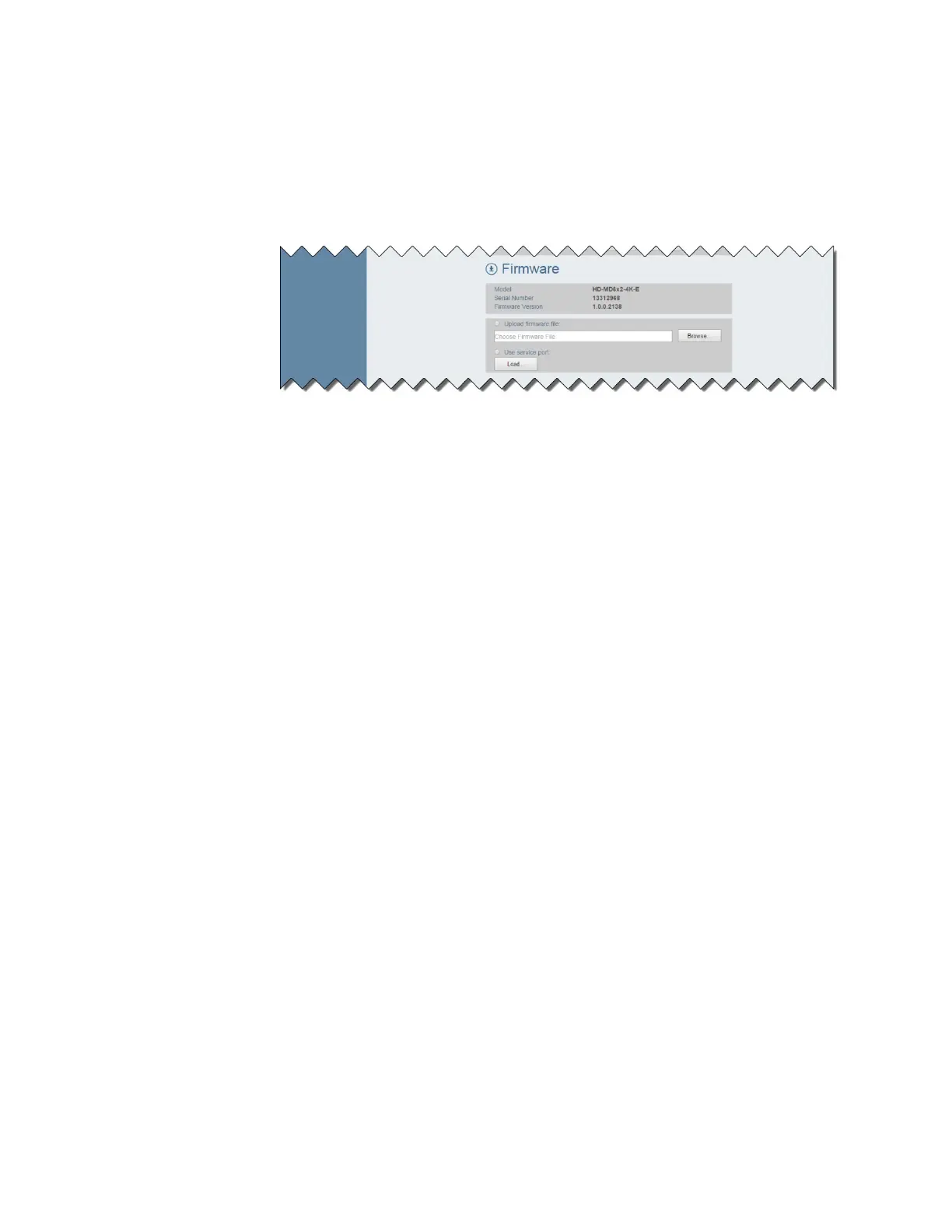
To upgrade firmware of the switcher, do the following:
1. In the navigation bar, click
. The Device page, which includes a
section, opens.
The
section displays the following information about the switcher:
• Model, which is
,
, or
• Serial Number
• Firmware Version
2. To upgrade the firmware, click the
radio button or the
radio button:
• If the
radio button is selected, do the following:
a. Click the
button. Windows Explorer opens.
b. Locate and select the desired firmware file (*.bin), and then click
the
button. The
field displays the firmware filename.
c. Click the
button. A prompt appears asking for confirmation
that the firmware be upgraded.
d. Click the
button to upgrade the firmware.
• If the
radio button is selected, do the following:
a. Insert a USB mass storage device containing the firmware file into
the
port of the switcher.
b. Click the
button. A prompt appears asking for confirmation
that the firmware be upgraded.
c. Click the
button to upgrade the firmware.






 To Next Page