206 • TSW-70 Series Product Manual — Doc. 8550E
Create User
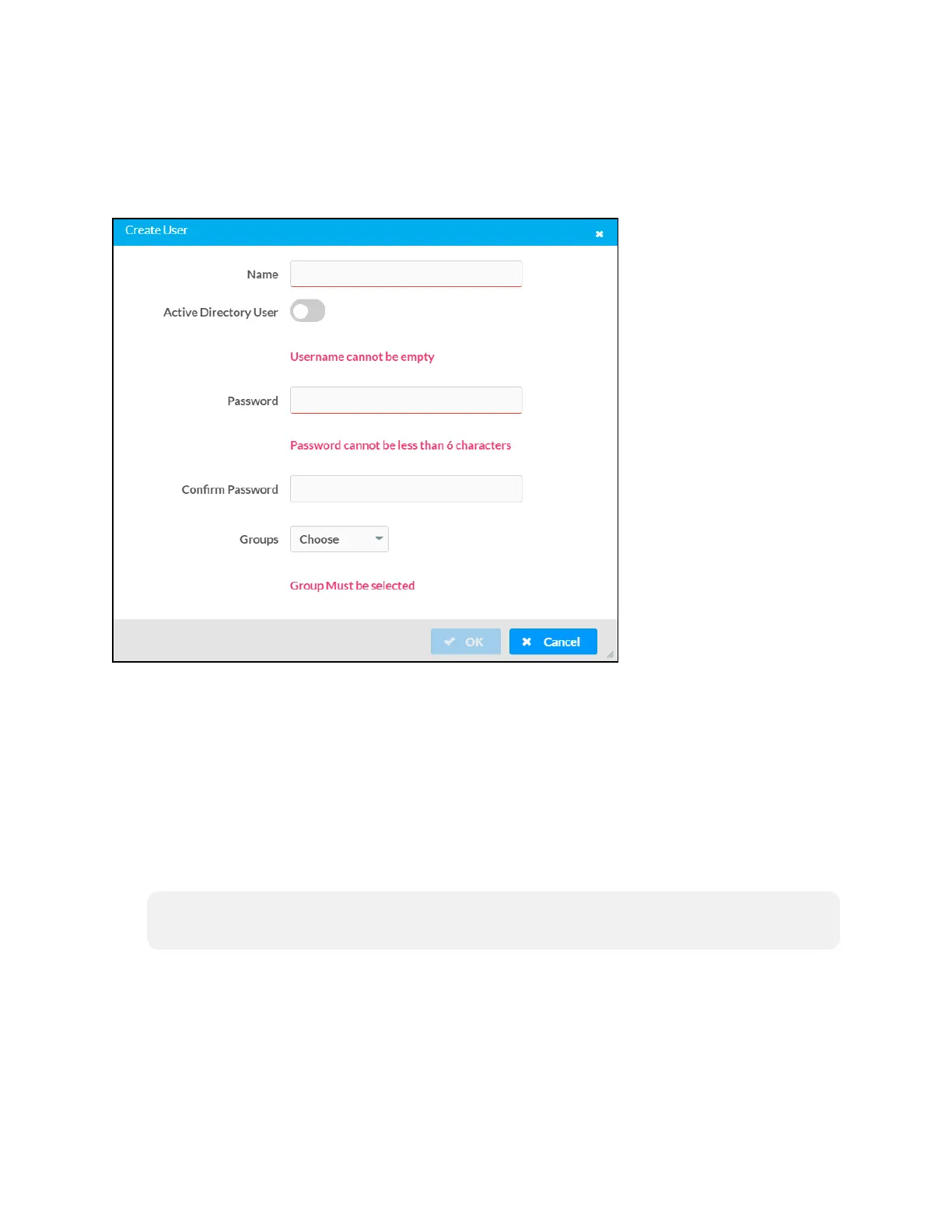
Click Create User at the bottom of the page to create a new touch screen user. The Create User
dialog box is displayed.
Create User Dialog Box
Use the following settings to create a new user:
l
Name: Enter a username.
l
Active Directory User: Turn on the toggle to use authentication via Active Directory for the
user.
l
Password: Enter a password for the user.
l
Confirm Password: Reenter the password provided in the Password field.
l
Groups: Add the user to one or more groups. For more information, refer to Groups (on
the facing page).
NOTE: A user must be added to an Active Directory group to be selected as an Active
Directory user.
Click OK to save any changes and to return to the Authentication Management > Users page.
Click Cancel to cancel creating a new user.





 To Next Page