Tip: You can also access the camera in one of the methods described under “Take a photo” on page <OV>.
Tap Settings .
Screen settings:
Grid: Enable or disable the grid setting.
Camera sounds: Enable or disable the shutter release and countdown sounds.
Mirror effect: Enable or disable saving photos taken with the front camera exactly as they appear in the preview.
Disabling this feature will produce a mirrored effect in your images.
View pictures and video using Photos
Using the Photos app, you can view photos and watch videos that you’ve taken, downloaded, or copied onto your
storage card or phone memory. For pictures that are on your storage card or phone memory, you can do basic editing
such as rotating and cropping. You can also easily assign a photo as your contact photo or wallpaper and share photos
with your friends.
View photos and videos
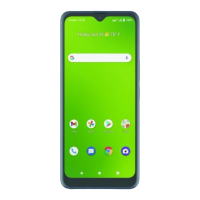
From the Home screen, tap Photos.
Tip: You can also access the Photos app by swiping up on the Home screen to access Apps and tapping Photos.
Tap an image or a video to view.
Review photos and videos
After capturing a photo or video, tap the thumbnail image at the bottom right corner of the screen to review it. From
there, you can share, edit, or delete the photo or video.
Options while reviewing photos or videos
Zoom in or out on a photo or video: Tap the screen twice or pinch the screen to zoom in or out on a photo or video.
Viewing videos: Use the on-screen controls to play, pause, or stop the video playback.
Edit photos
Rotate and save a photo
From the Home screen, tap Photos.
Tap the photo you want to rotate.
Tap Edit > Rotate.
Tap Save copy to save a copy of your photo.
Crop a picture
From the Home screen, tap Photos.
Tap the photo you want to crop.
Tap Edit to access the Edit screen.
Tap Crop. A crop box appears on the photo.
To adjust the crop box size, drag the corners inward or outward to resize the crop box.
Tap Save copy to apply the changes to the photo and save.


 To Next Page