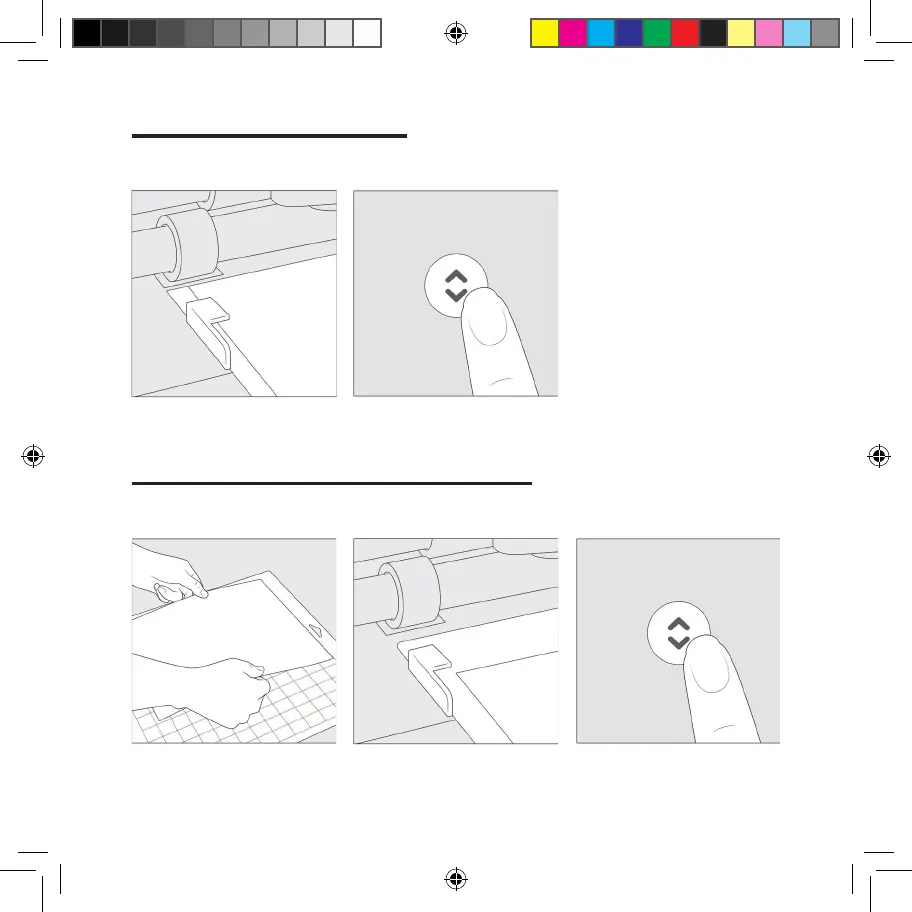
Load Smart Materials
™
1. Position material under material
guides.
2. Hold against rollers as you press
the lashing Load/Unload button.
Load machine mat with material
1. Remove plastic cover, then align
material onto mat. For fabric, use
brayer to smooth down.
2. When prompted, insert mat
under material guides.
3. Hold mat against rollers as you
press lashing Load/Unload button.
05
Voldemort_User_Manual_Guide_INTL.indd 6Voldemort_User_Manual_Guide_INTL.indd 6 3/30/21 6:39 PM3/30/21 6:39 PM















 To Next Page