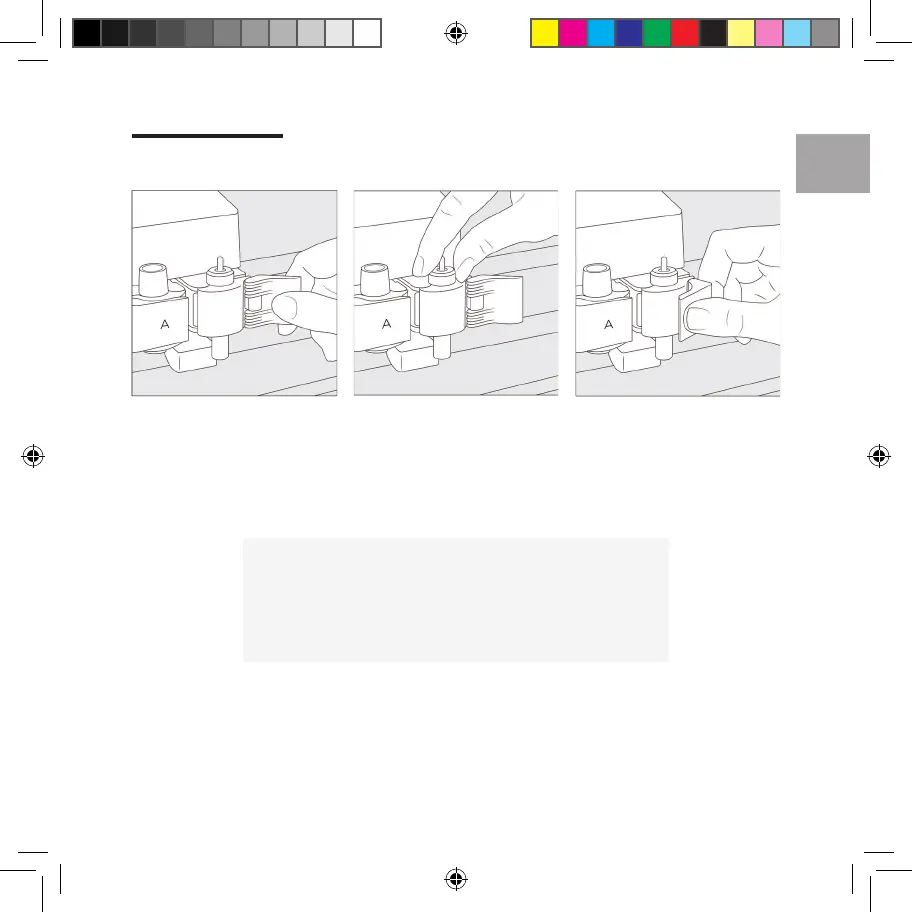
Change tool
1. Open Clamp B, and remove tool
housing.
2. Firmly seat new tool. 3. Close clamp.
EN
Use caution, and follow instructions when replacing blade.
For instructions, see blade packaging or help.cricut.com/blades
For more info, see cricut.com/more
06
Voldemort_User_Manual_Guide_INTL.indd 7Voldemort_User_Manual_Guide_INTL.indd 7 3/30/21 6:39 PM3/30/21 6:39 PM















 To Next Page