40 GB/IE/NI
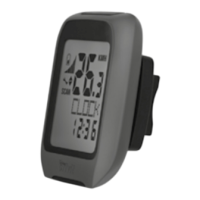
Using the backlight
Press the SET button
20
to temporarily activate
the backlight. The backlight will switch off au-
tomatically after a short amount of time.
Resetting the bicycle
computer
Press and hold the SET button
20
first and
hold the MODE button
14
to proceed to
setting mode. SETTING OPEN or SETTING
RESET will be displayed. Press the MODE
14
button until SETTING RESET displayed, Con-
firm reset the product by press the SET button
20
.
Now you can adjust the previously configured
basic settings (language, age, weight, time).
Other saved information will be deleted.
Note: You can select SETTING OPEN to request
for changing settings but not to delete the saved
information. Refer to the “Changing basic settings“
chapter to configure the settings.



 To Next Page