21GB/IE/NI
6.
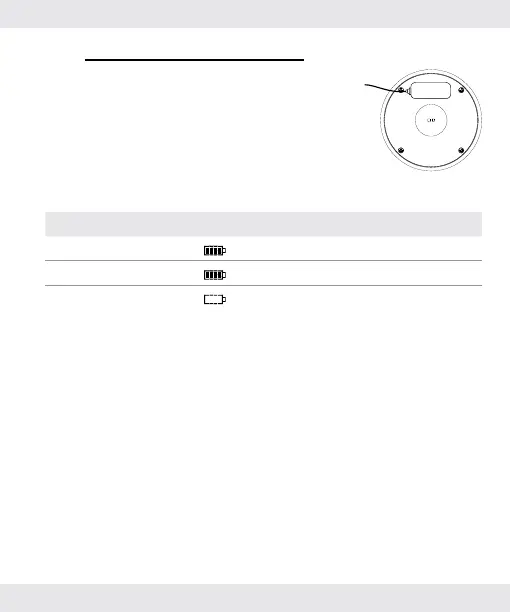
Charging the product
Align the magnetic contact so that it is
held in place properly.
Connect another side of the USB cable
to a USB outlet.
Charge the product’s battery for at
least 2 to 3 hours.
Battery Display indication
Charging
flashes in the display.
Fully charged
shown continuously in the display.
Low
shown continuously in the display.
When the battery is low:
The heart rate and running modes
do not work.
The sleep time is not monitored.
Charge the battery
(for details please refer to section
“6. Charging the product”).


 To Next Page