16 GB/IE/NI
5.1.
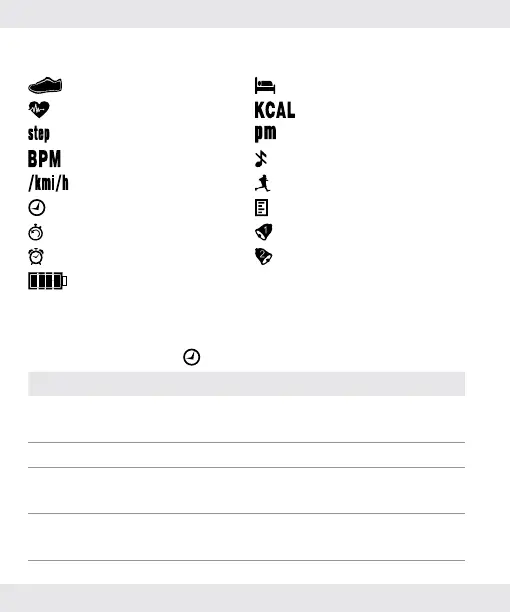
Explanation of the display icons
Pedometer Sleep
Heart rate Calories
Steps PM
Beats per minute Keytone off
Pace Running mode
Time mode Data mode
Timer mode Alarm-1
Alarm mode Alarm-2
Battery
5.2.
Description of the different modes
5.2.1.
In time mode
Button Description
Hold [A]
Set the time (for details please refer to section
“7. Time mode”).
Press [B] Cycle through different modes.
Press [C]
Cycle through the options (Steps, Sleep time,
Heart rate).
Press [D]
Cycle through the options (Heart rate, Sleep
time, Steps).


 To Next Page