K SIZE:144X210MM
TV-3589 Eng IB 0211-12481-20
12
3589
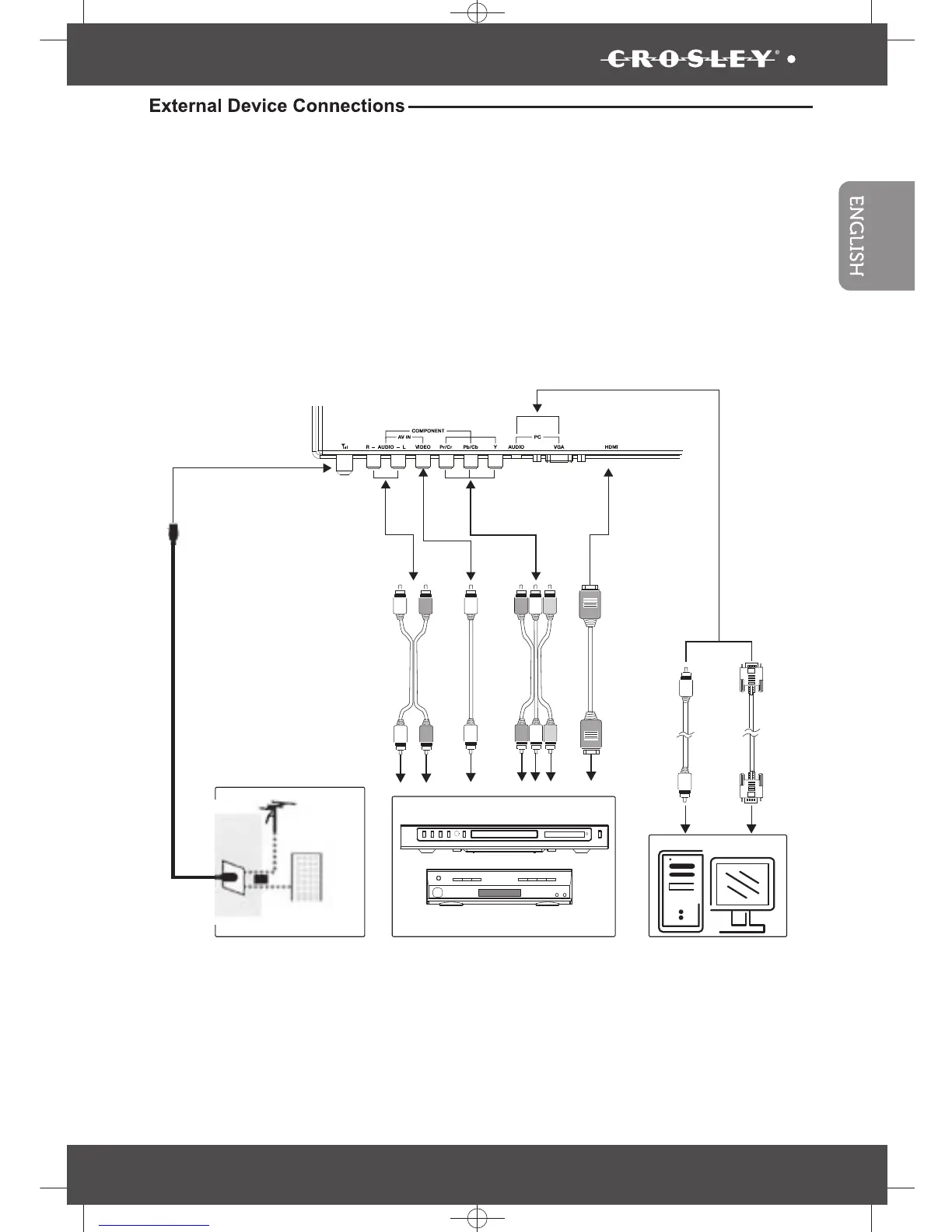
You can enjoy picture, sound and a PC monitor by connecting a DVD player, video game system or
computer to the inputs located on the rear of the LED TV set.
• For the cable, use a commercially available audio/video cable.
• For more information about external device connections, see the operation manuals of your
external devices.
• Make sure that the corresponding cables are connected to each input. Connecting other cables
may result in a malfunction.
• Component Input (YPbPr): Picture can be displayed only when a 480i or 480p or greater signal is
received.
VGA
cable
Audio
cable
PC
DVD Player
cable receiver/satellite box
HDMI
cable
or
cable TV
company
VHF/UHF
antenna
or
RF coaxial
cable
Audio
cable
Video
cable
Component
cable


 To Next Page