Connection with camera and App
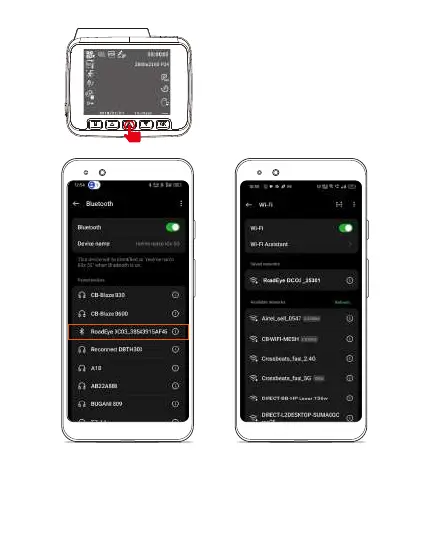
On the camera Turn on the Wi-Fi
Press ⚠ button to turn on WiFi of dash cam.
(Please ALWAYS connect to power supply.)
Optional-Turn on Bluetooth on
your mobile phone and connect
with Roadeye DC03 Dashcam
for quicker App connections
1.Turn on Wi-fi on your mobile phone.
2.Search and connect with Roadeye
DC03 Wi-Fi Network.
3.Default Password is 12345678


 To Next Page