8
THE X3 SENSORS APP
WHEN OPENING the app for the first time, click on "Accept" to accept the terms
and conditions of use.
This app gives you information about the sensors embedded in your mobile.
The magnetometer: This is the compass feature. It measures the phone's orientation
relative to magnetic north. Calibrate your compass by following the instructions on the
screen.
The accelerometer: lets you measure and see the phone's acceleration based on 3 axes.
Using mathematical integration, it measures the speed at which the device is moving as
well as tracking its position.
GPS: position of the device and accuracy of the GPS signal. You can find out the number
of satellites in range as well as your exact position.
Proximity sensor: turns o the screen during phone calls when the phone is placed
near the ear.
Light sensor: measures the light reaching the phone screen.
Bluetooth (4.1) and networks (2G, 3G, and 4G): show the presence and strength of
communication networks.
Battery status: provides an instant, visual indication of the battery's rate of charge/
discharge.
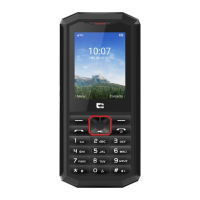
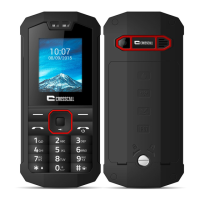
PROGRAMMABLE KEY
In Settings > Keys > Programmable Key > Turn On > choose the function you want to
give this key.
By default, the key is programmed to "photo". By clicking on "custom" you can choose
the desired function.
SOS FUNCTION
Changing settings:
To use this app, set up your device's programmable key by choosing the SOS function
(Settings > Keys > Programmable Key > SOS).
To choose who to alert in case of danger, open the SOS app (or programme the SOS
function directly via the programmable key) and enter the information requested.
Enter a message that will automatically be sent if you are in danger. Example: "I'm in
danger, please contact the emergency services. Here is my GPS location".


 To Next Page