EasyManua.ls Logo

Crossfire CFS10 - User Manual

Crossfire CFS10
24 pages
Print Icon
To Next Page IconTo Next Page
Loading...
MADE IN THE U.S.A.
SIGNALING
LISTED
Model CFS10
Owner’s Manual
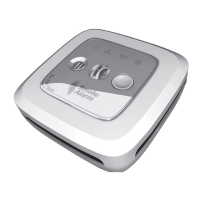
Combination Alarm
Photoelectric Smoke Sensing
Rate of Rise Temperature Sensing
Fixed Temperature Sensing
Proprietary Wireless Connectivity
Smoke Alarm
Question and Answer IconNeed help?

Do you have a question about the Crossfire CFS10 and is the answer not in the manual?

Summary

Recommended Locations for Smoke Alarms

Bedrooms

Specifies installation in all sleeping rooms for required protection.

Hallways

Mandates placement outside sleeping areas and on every level.

Basements

Requires an alarm on every level, including basements near stairs.

National Fire Protection Association Standards

Required Detection (NFPA 29.5.1.1)

Details NFPA standards for smoke alarm installation locations in dwellings.

Desirability of Additional Detectors (NFPA A.29.5.1)

Discusses the recommendation for extra smoke detectors beyond minimum requirements.

Complete Home Fire Protection

Acceptable Wireless Network Alarm Spacing

Details the maximum wireless range and spacing for the smoke alarms.

Alarm Features and Functions

Fire Warning Light (Red)

Indicates detection of smoke or heat, accompanied by an audible alarm.

Testing the Alarm

Provides instructions for performing weekly tests to ensure proper operation.

Silencing Nuisance Alarms

Explains how to silence alarms triggered by non-fire events like cooking smoke.

Deactivating the CFS10 Smoke Alarm

End-of-Life Deactivation Process

Details the procedure to permanently disable the alarm when it reaches its end-of-life.

Creating Your Wireless Network

Initial Network Setup

Provides step-by-step instructions for setting up the first wireless network.

Adding an Alarm to Your Wireless Network

Integrating New Alarms

Explains the process of adding new smoke alarms to an existing wireless network.

Removing an Alarm from a Wireless Network

Erasing Network Data

Details the procedure to remove an alarm's network data from its memory.

How to Mount the Battery Powered Alarm

Marking and Drilling Pilot Holes

Guides on marking and drilling pilot holes for bracket installation.

How to Wire and Mount the AC Powered Alarm

Important Fire;Emergency Safety Information

Warning! Limitations of Smoke Alarms

Smoke Alarm Limitations Overview

Details various conditions and situations where smoke alarms may not be fully effective.

Limited Warranty

Summary

Recommended Locations for Smoke Alarms

Bedrooms

Specifies installation in all sleeping rooms for required protection.

Hallways

Mandates placement outside sleeping areas and on every level.

Basements

Requires an alarm on every level, including basements near stairs.

National Fire Protection Association Standards

Required Detection (NFPA 29.5.1.1)

Details NFPA standards for smoke alarm installation locations in dwellings.

Desirability of Additional Detectors (NFPA A.29.5.1)

Discusses the recommendation for extra smoke detectors beyond minimum requirements.

Complete Home Fire Protection

Acceptable Wireless Network Alarm Spacing

Details the maximum wireless range and spacing for the smoke alarms.

Alarm Features and Functions

Fire Warning Light (Red)

Indicates detection of smoke or heat, accompanied by an audible alarm.

Testing the Alarm

Provides instructions for performing weekly tests to ensure proper operation.

Silencing Nuisance Alarms

Explains how to silence alarms triggered by non-fire events like cooking smoke.

Deactivating the CFS10 Smoke Alarm

End-of-Life Deactivation Process

Details the procedure to permanently disable the alarm when it reaches its end-of-life.

Creating Your Wireless Network

Initial Network Setup

Provides step-by-step instructions for setting up the first wireless network.

Adding an Alarm to Your Wireless Network

Integrating New Alarms

Explains the process of adding new smoke alarms to an existing wireless network.

Removing an Alarm from a Wireless Network

Erasing Network Data

Details the procedure to remove an alarm's network data from its memory.

How to Mount the Battery Powered Alarm

Marking and Drilling Pilot Holes

Guides on marking and drilling pilot holes for bracket installation.

How to Wire and Mount the AC Powered Alarm

Important Fire;Emergency Safety Information

Warning! Limitations of Smoke Alarms

Smoke Alarm Limitations Overview

Details various conditions and situations where smoke alarms may not be fully effective.

Limited Warranty

Crossfire CFS10 Specifications

General IconGeneral
BrandCrossfire
ModelCFS10
CategorySmoke Alarm
LanguageEnglish