22
Clip SGD
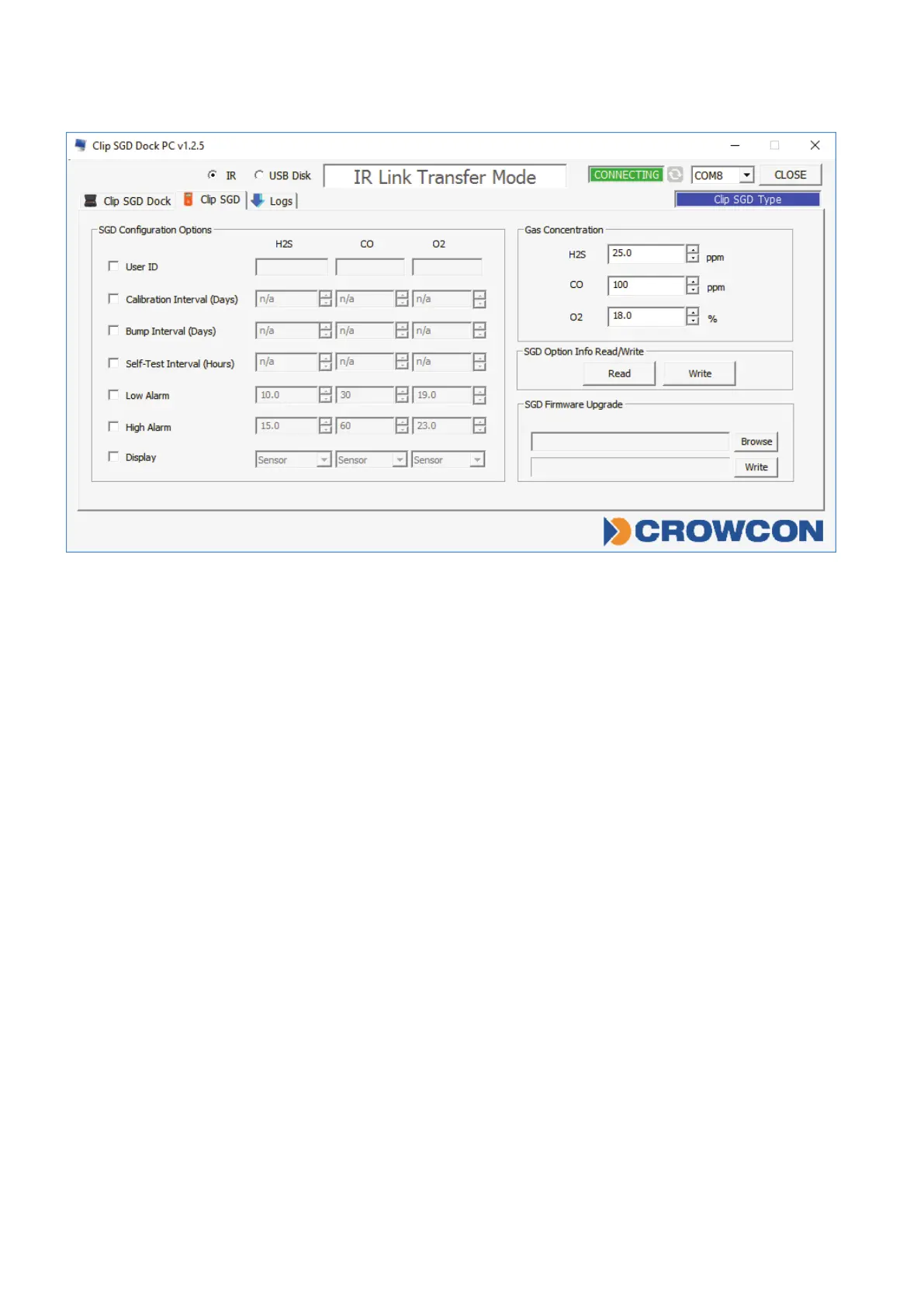
Figure 3
SGD Configuration Options
AllowsthecongurationoftheClipSGDtobemodiedwhilsttheDockingStation
performsabumptestoracalibration.
• UserID:EnterauserIDifrequired
• CalibrationInterval(0-365days):Settheintervalofthecalibrationalert
• BumpInterval(0-365days):Settheintervalofthebumptestalert
• SelfTestInterval(0-24hours):Settheintervaloftheselftestreminder.
• LowAlarmandHighAlarm:Settherequiredlowandhighlevelgasalarms.
• Display:ChooseforClipSGDtodisplayeithergasreading(“Sensor”)orinstrumentlife
remaining(“Life”)
SGD Options Info Read/Write
• Read:RetrievethestoredsettingsfromClipSGDDockingStation
• Write:WritetheadjustedsettingstotheClipSGDDockingStation



 To Next Page