8
Clip SGD
3. Mode
3.1 Gas Measurement Mode
FollowingactivationthedevicewilloperateinGasMeasurementMode.
Theremainingsensorlife(defaultsetting)orgasconcentration
(congurableoption)willbedisplayedonthescreen.
Oxygenconcentrationisdisplayedinpercentbyvolume(%Vol)and
toxicconcentrationisdisplayedinpartspermillion(PPM).
3.2 Display Device Settings
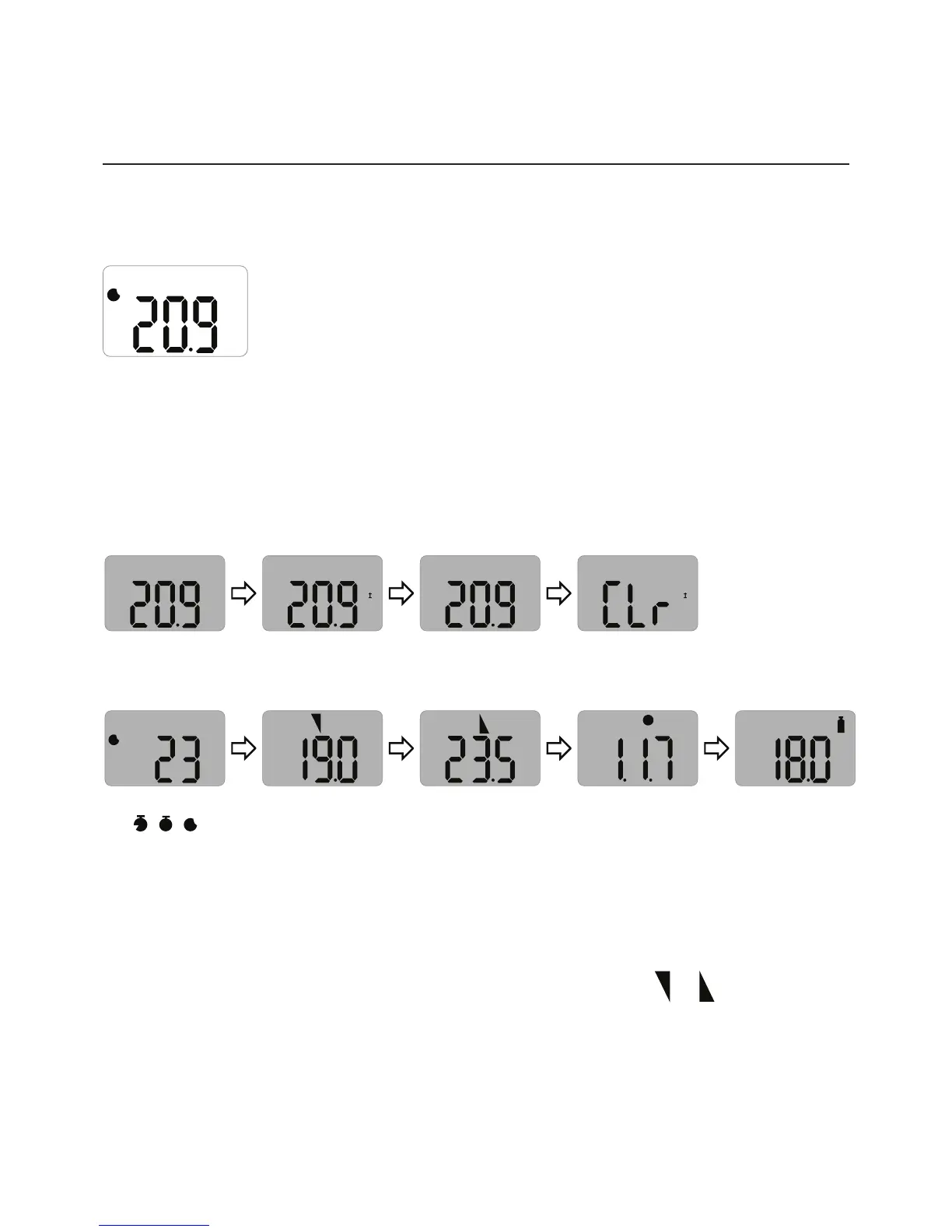
InGasMeasurementModetoviewthedevicesettingspressthebuttontocyclethrough
thesettings.Thesettingswillbedisplayedinthefollowingorderuponeachbuttonpress.
VOL
%
VOL
%
MN
I
MAX
VOL
%
MAX
VOL
%
MN
I
Detectionmode
Minlevelseen
(onlyfor
oxygen)
Maxlevelseen
Clearmin/max
levels
M
VOL
%
1
VOL
%
2
V
VOL
%
Remaininglife
(
T
,
D
,
M
)
1stalarm
setpoint
2ndalarm
setpoint
Firmware
version
Calibration
concentration
AtthelaststepthedevicewillreturntoGasMeasurementMode.
3.3 Alarms and Alerts
Whenagasconcentrationexceedstheconguredalarmsetpoints,
1
or
willbe
displayedonthescreen,thedevicewillvibrate,alarmLEDswillash,andthebuzzerwill
sound.Thealarmswillstopwhenthedeviceismovedtoacleanairenvironment.
%
M


 To Next Page