ΒΤ 100 USB Bluetooth Dongle Manual
________________________________________________________________________
10
6.2 BlueSoleil Environment
6.2.1 Main Window
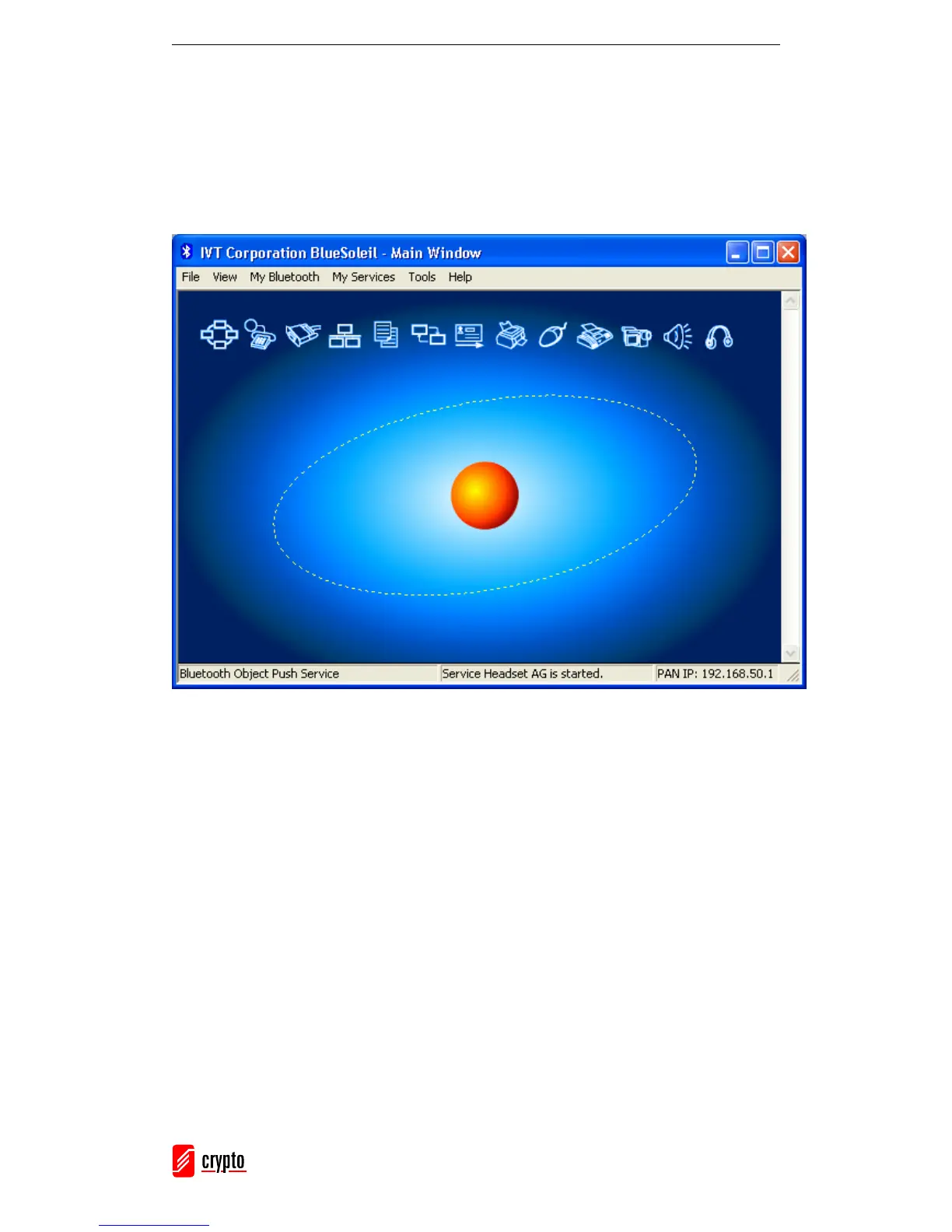
This is the BlueSoleil Main Window:
This window displays the local device (red ball) as well as the remote devices detected in
range. Each type of remote device is represented by a different icon. At the top of the
Main Window there are the Service Buttons. If you select a device, the supported services
will be highlighted.
Remote Devices – Icon Meanings:
• White: Idle. The normal state of the device.
• Yellow: Selected. You have selected the device.
• Green: Connected. The device is connected to your local device.
Services – Icon Meanings:
• White: Idle. The normal state.
• Yellow: Available. The service is available on the selected device.
• Green: Connected. The service is active in a connection with the remote device.



 To Next Page