ΒΤ 100 USB Bluetooth Dongle Manual
________________________________________________________________________
11
6.2.2 Service Window
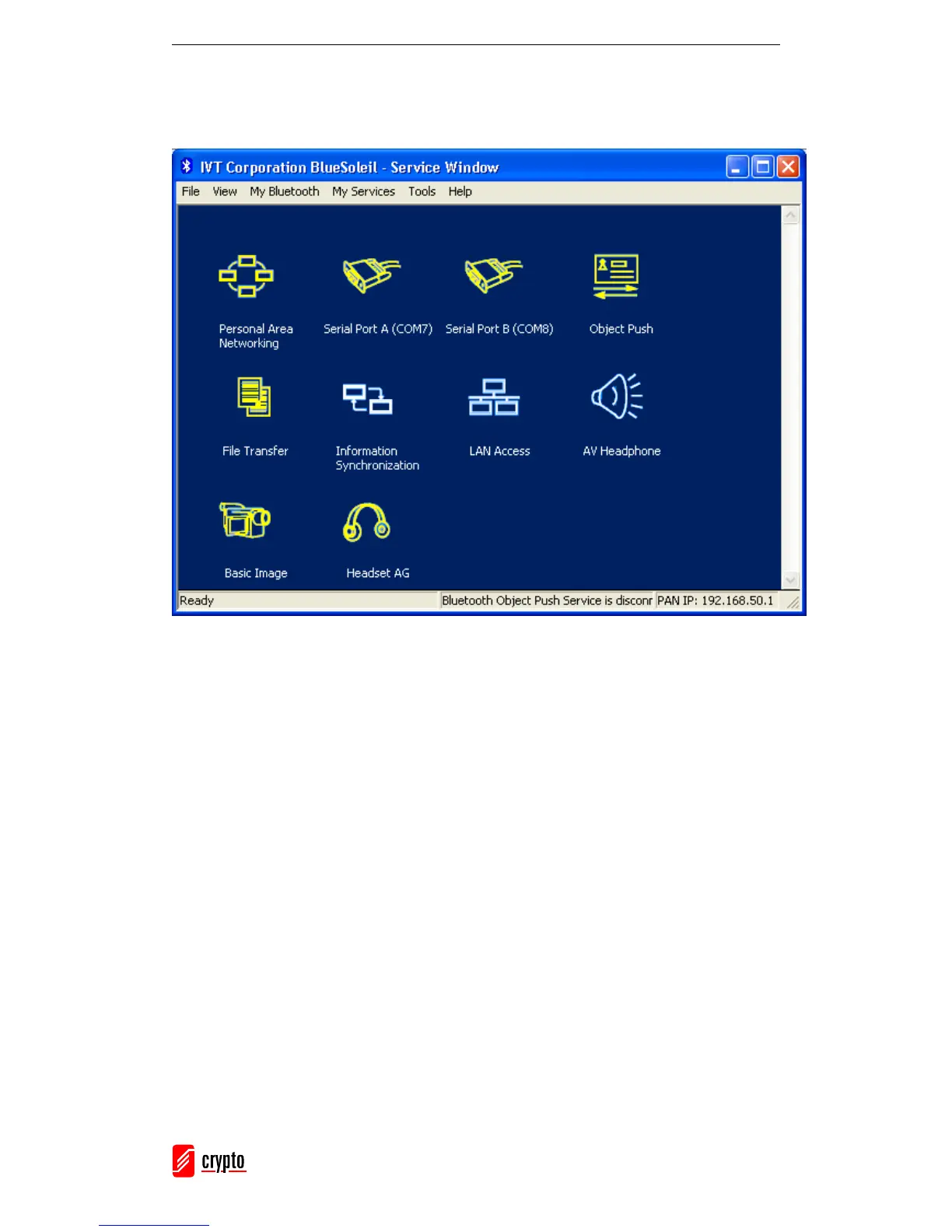
Go to View → Service Window to access the Service Window:
This window displays the services that are supported by the local computer.
Icon Meanings:
• White: Idle. The service has not been started.
• Yellow: Started. The local Bluetooth service has been started.
• Green: Connected. A remote device has connected to the service.
Note: In the above window you cannot see the Printer Service icon and the Fax Service
icon. These icons will appear in the Service Window when a Bluetooth enabled Printer or
Fax is connected to your computer.



 To Next Page