8
ULTRASONIC CLEANING SYSTEMS ULTRASONIC CLEANING SYSTEMS
5. Add the recommended amount of cleaning product. The
dosage of the product generally varies between 3% and
5% of the equipment capacity (consult CRYSTAL CLEAN
before adding cleaning product, as it depends on the soil
to be removed and material of parts to be cleaned).
6. Once the liquid has reached the right temperature and
the product is mixed properly, proceed to immerse the
parts.
Press
the function (12) and it will activate the automatic
cycle with the recipe which has been uploaded before
in PLC. However, if it requires a manual mode it will able
and disable the different manual functions.
7. During the cleaning process we can activate the
movement function (if installed)(8). This function will
start immediately during all automatic cycle.
8. WFS and FILTER (If included):
• WFS
The WFS system cannot be used when the auxiliary tank
is empty.
The pump has 3 speeds. The fastest one is selected
by default. After a cycle of cleaning, the pump will run
automatically during one minute and it is important to
maintain the security level of the uid for the pump not
to break. In case of manual activation start the cleaning
cycle immediately and before of taking out the pieces
from the tank.
• FILTER
In this function, it activates the lter pump following
the WFS pump. In the manual option it should start
immediately after de WFS function
9. Automatic filling system (5) (if included).
This system allows the machine to maintain a constant
water level in the tank.
Connect a water supply hose to the fill-in solenoid valve.
Once connected, open the fluid flow. A level sensor will
automatically maintain a constant fluid level in the tank.
10. Drained system (if included): The draining will be
always manually when it requires empty the tank for
maintenance task or replacing the bath. Once this
function is ON it will drain the tank until the
minimum security level. To drain the left liquid you must
be press the button in 10 seconds pulses.
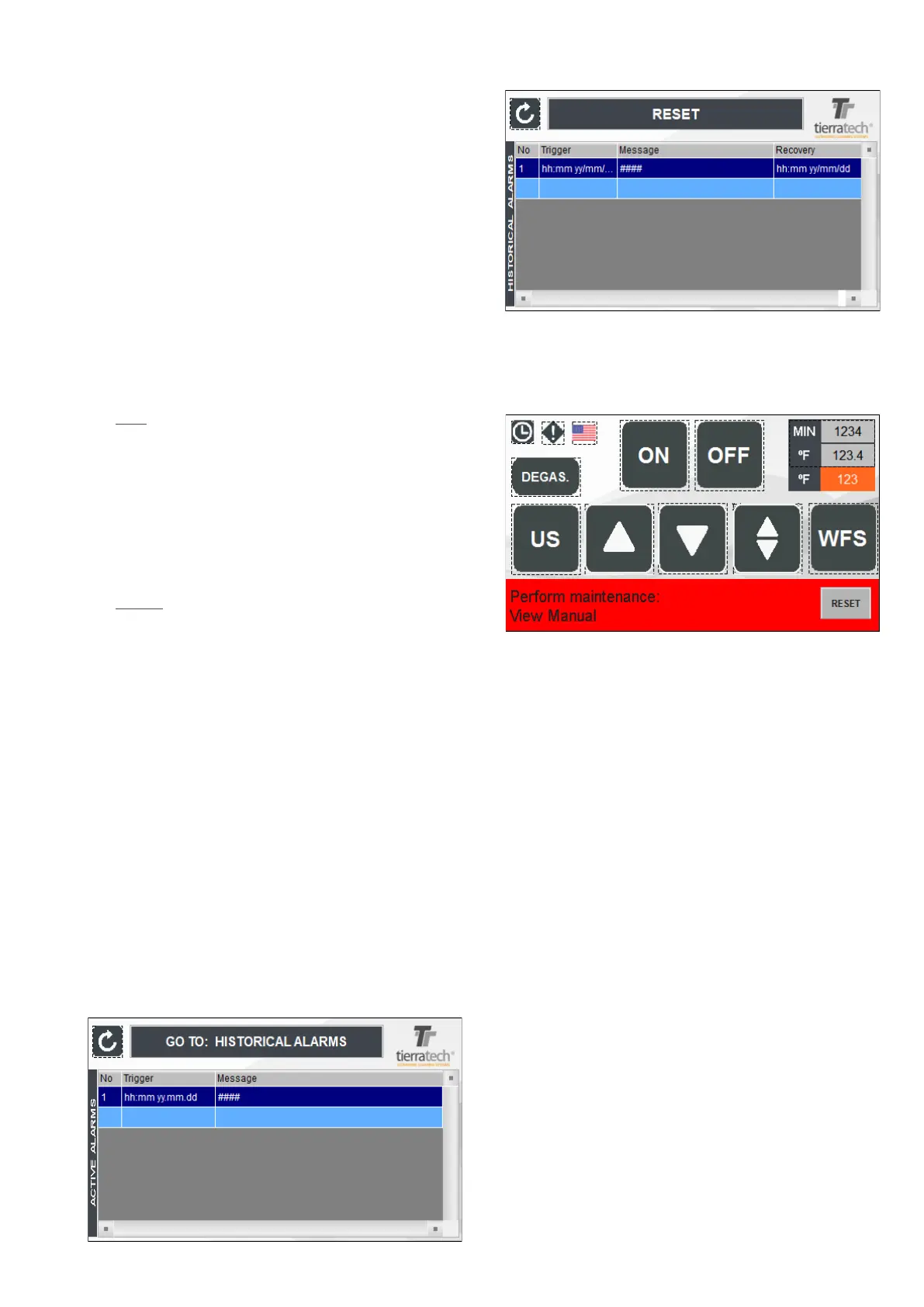
11. Alarms Screen (15): When the icon is blinking it means
there are warnings. If we pressed on , it will show
historical alarms of the machine.
If you press on “HISTORICAL ALARMS” will show a
RESET button which remove all the showed alarms.
ATTENTION: WHEN THE WORKING HOURS ESTIMATED
HAVE BEEN ACCOMPLISHED , IT WILL APPEAR A MES-
SAGE ON THE MAIN SCREEN WARNING ABOUT THE
MAINTENANCE TASK TO FOLLOW. SEE MAINTENANCE
SECTION.



 To Next Page