CANedge2 Docs, Release FW 01.04.02
ID (DEC) ID occurrences Result
600
10
1 Accept
600
10
2 Reject
600
10
3 Reject
600
10
4 Accept
600
10
5 Reject
Time
Time prescaling sets a lower limit on time interval (period time) of a specific message ID. This is done
by rejecting messages until at least the prescaler time has elapsed
3
. The prescaler timer is reset each
time a message is accepted. The prescaling value is set in milliseconds
4
with a valid range 1-4194304
(0x400000).
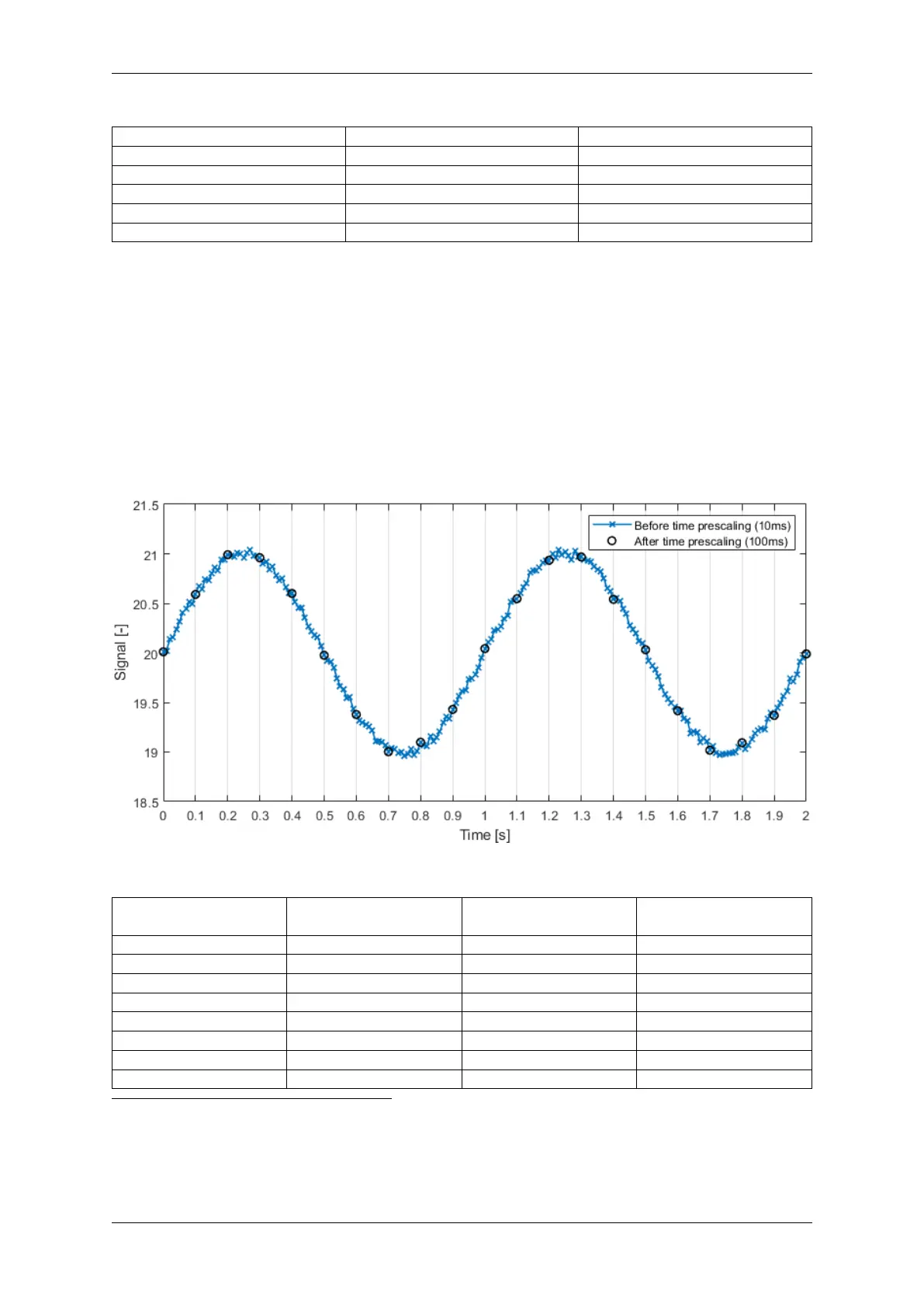
This prescaler type is e.g. useful if a slowly changing signal (low frequency signal content) is broadcasted
on the CAN-bus at a high frequency
5
.
Example: A slowly changing temperature measurement broadcasted every 10 ms (100Hz). Prescaled to
a minimum time interval of 100ms (prescaler value set to 100).
Example: Time prescaling applied to ID 700
10
with a time interval of 1000ms selected.
ID (DEC) Message timestamp
[ms]
Prescaler timer [ms] Result
700
10
200 0 Accept
700
10
700 500 Reject
700
10
1000 800 Reject
700
10
1200 1000 -> 0 (reset) Accept
700
10
1300 100 Reject
700
10
3200 2000 -> 0 (reset) Accept
700
10
4200 1000 -> 0 (reset) Accept
700
10
5200 1000 -> 0 (reset) Accept
3
Note that messages are not resampled to a specific fixed period time
4
It is not possible to do sub-millisecond time prescaling
5
Higher frequency than needed to get a good representation of the signal content
30 CONTENTS



 To Next Page