CANedge2 Docs, Release FW 01.04.02
Warning: The start/stop ranges shall be mutual exclusive (cannot both occur at the same time)
Examples
Example: Start / stop on OBD speed response message. The OBD CAN-bus is connected to two
CAN-bus channels. Channel 1 is configured to start / stop message reception based on the OBD speed
response. Channel 2 does not use the control signal feature.
Start trigger:
• High: 03410DFF00000000
16
⇒ 255 km/h
• Low: 03410D0A00000000
16
⇒ 10 km/h
Stop trigger:
• High: 03410D0500000000
16
⇒ 5 km/h
• Low: 03410D0000000000
16
⇒ 0 km/h
"start": {
"id_format": 0,
"id": "7E8",
"id_mask": "7FF",
"data_mask": "FFFFFFFF00000000",
"data_high": "03410DFF00000000",
"data_low": "03410D0A00000000"
},
"stop": {
"id_format": 0,
"id": "7E8",
"id_mask": "7FF",
"data_mask": "FFFFFFFF00000000",
"data_high": "03410D0500000000",
"data_low": "03410D0000000000"
}
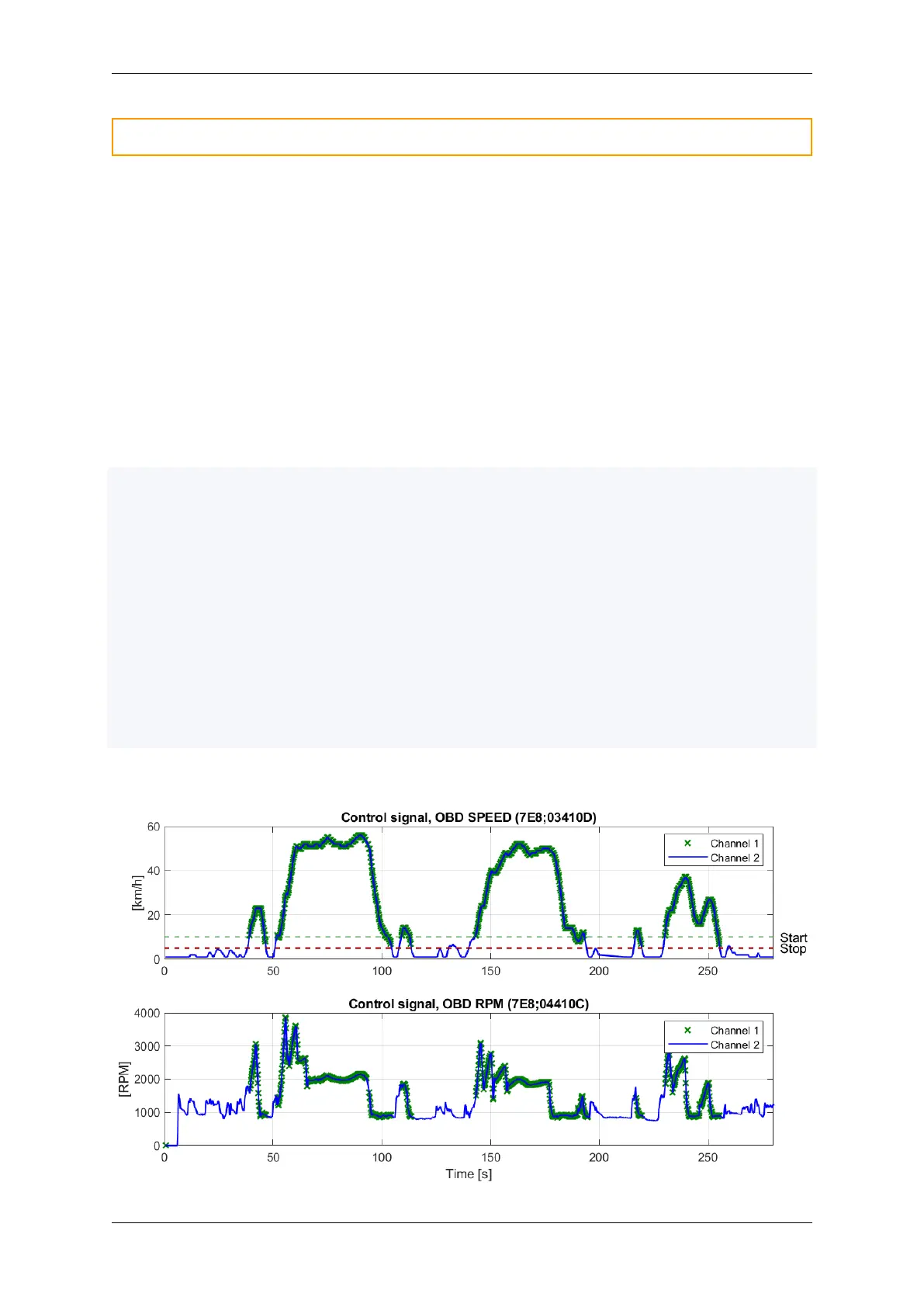
Below plot illustrates that Channel 1 message reception (and logging) starts when the speed signal goes
above 10 km/h and stops below 5 km/h. Channel 2 is shown for reference (no control signal).
38 CONTENTS



 To Next Page