20.1.2 Change name of a job
Ke
s Dis
la
O
eratin
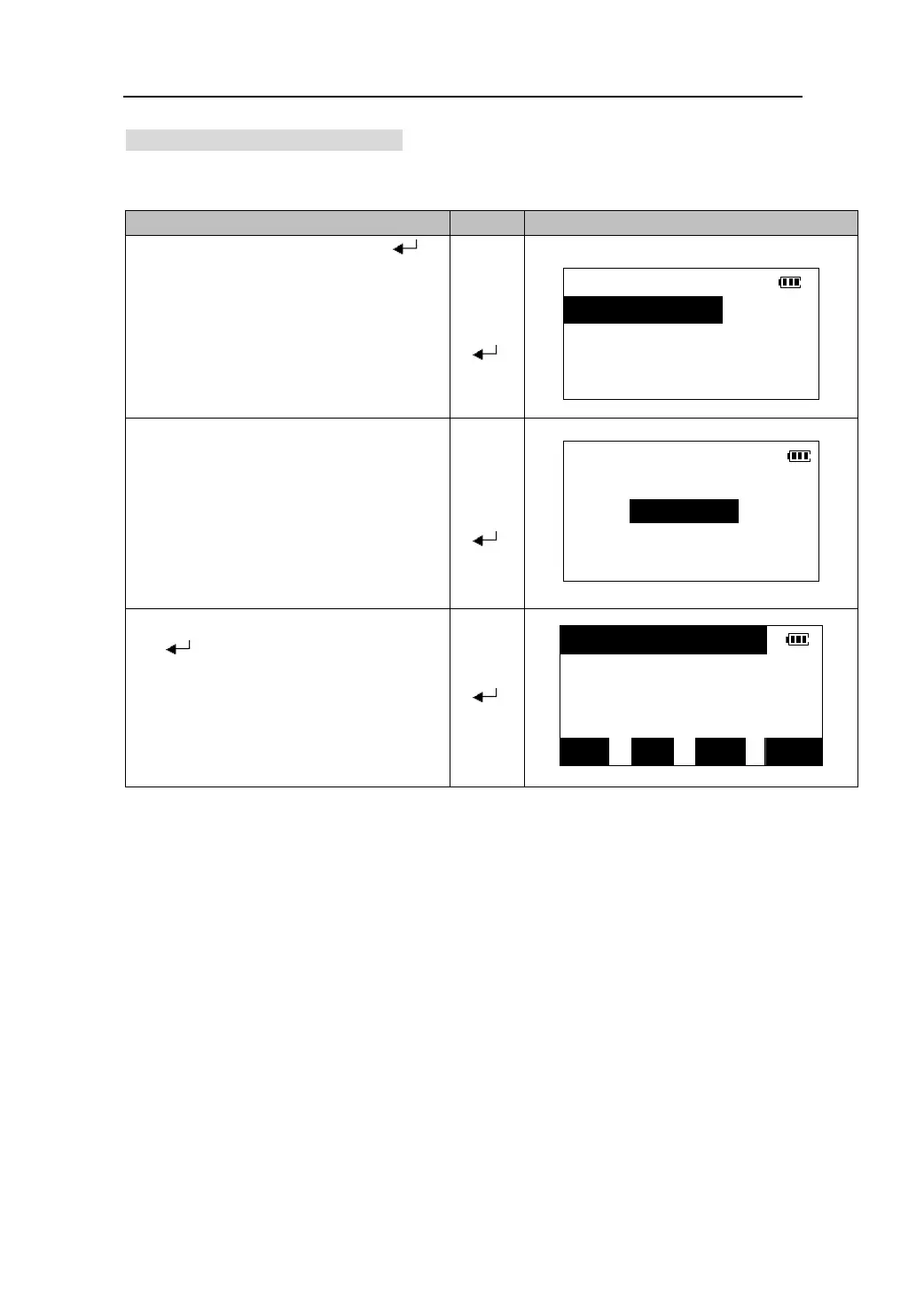
1.Select a job in the job list. Press【 】
to go to the screen for managing job files.
JOB
【】
1.View
【】
【
】
2.Comm output
3.Rename
4.Del
2. Select “3. Rename ” to go to the file name
input screen.
File rename
【】
Name: JOB001
【】
【
】
3. Input the new name of the job. Press
【 】 to accept it and return to the job
list screen and the name of the job has
changed.
【 】
*888888 254
JOB002 136
MTS001 16
SFT TOP LAST SRCH
71









 To Next Page