Trouble Shooting Guide 20
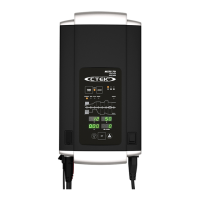
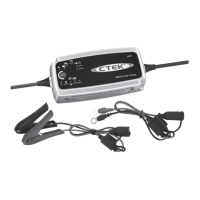
MXTS 70
• No LED or display is lit when the charger is connected only to the battery
Explanation: The plug has to be connected for the LED’s and the displays to
be lit.
• No LED or display is lit when the charger is connected only to the power outlet
Explanation: The displays and LED’s should light up when the charger is
connected to the power outlet. The fans should also turn on.
Test: Make sure that there is power from the power outlet.
• Is lit
Explanation: This led is lit when the charger has been set to a current less
than the maximum.
• Is lit
Explanation: This led is lit when the charging has been stopped or not started.
Press the START/PAUSE button to start or resume.
• is lit
This indication always has an explanation in the Ah & info display.
E01: Reverse polarity.
Test: Make sure that the + cable/clamp is connected to the + terminal and the
– cable/clamp is connected to the – terminal.
E02: Over voltage. The battery connected has a higher voltage than the
selected charge program.
Test: Make sure that the battery and the selected charge program
corresponds to each other.
E03: Time out step 1: Desulphation. The battery is sulphated and can´t be
charged correct.
Test: Try to restart the charge cycle, if it still fails in step 1 the battery is
sulphated and needs to be replaced.
E04: Time out step 2. Soft start. The battery can´t be charged correct.
Test: Try to restart the charge cycle, if it still fails in step 1 the battery is
sulphated and needs to be replaced.



 To Next Page