EN • 7
EN
SUPPLY
For best possible float maintenance charging or voltage supply function
for the vehicle the voltage and max current limit are adjustable from the
front panel. See below how to set the voltage supply program and it's
parameters.
1. Connect the charger cables to the charger
(see "Cable connection").
2. Connect the charger to the battery
(see "Cable connection").
3. Connect the charger to the mains supply
4. Turn on the mains switch
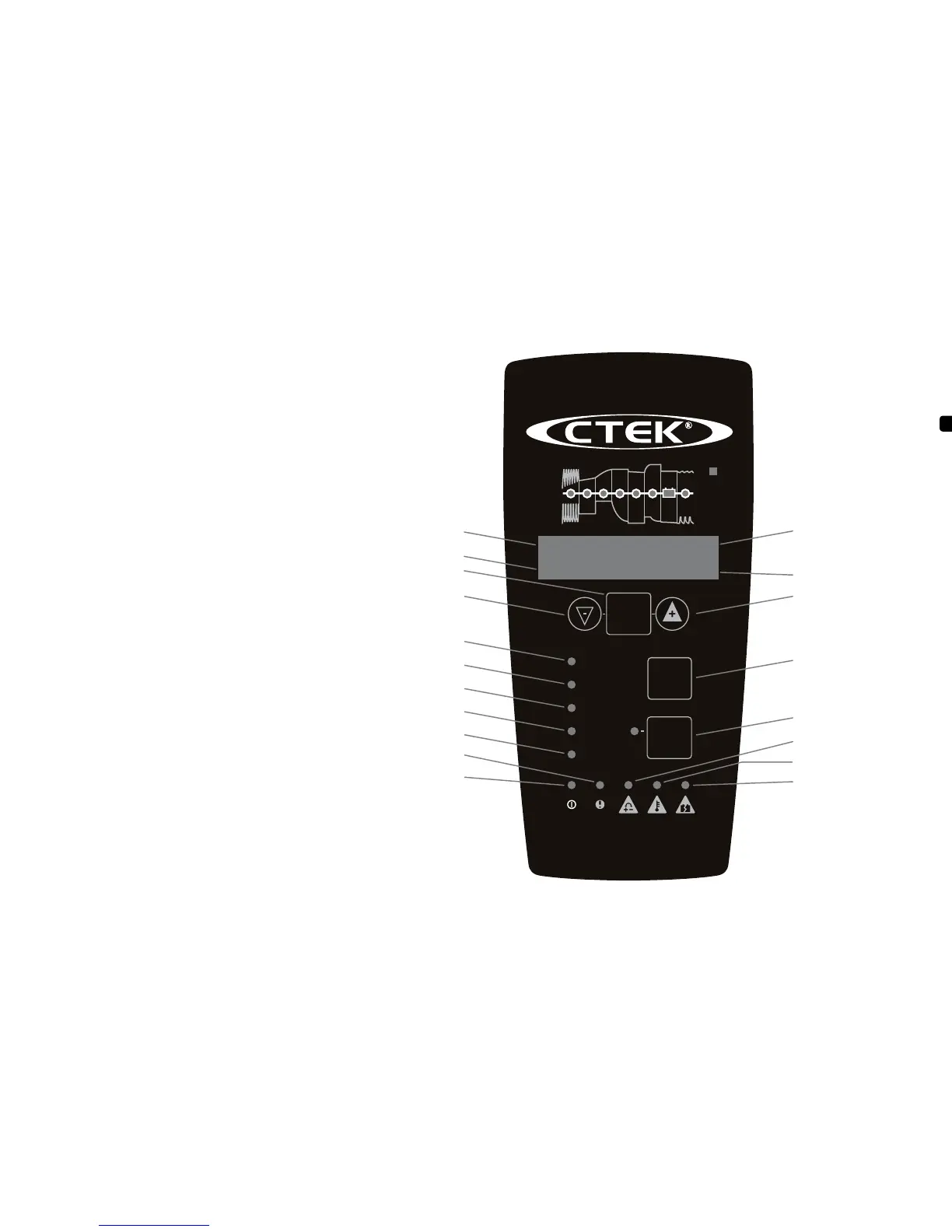
The power lamp will indicate that the mains cable is connected to the
mains supply. The error lamp will indicate if the battery clamps are
incorrectly connected. The reverse polarity protection will ensure that
the battery or charger will not be damaged.
5. Press the MODE-button to select Supply mode
6. Press SET-button to set parameters
7. Select voltage
•Display (h) will indicate that voltage (
V
) is selected.
•Display (V) will indicate set voltage.
•Press +/- to change.
•Press SET-button to confirm.
8. Select Supply voltage
•Display (h) will indicate that Supply voltage (
SV
) is selected.
•Display (V) will flash and indicate Supply voltage level.
•Press +/- to change.
•Press SET-button to confirm.
9. Select current
•Display (Ah & info) will indicate that current (
A
) is selected.
•Display (A) will flash and indicate set current.
•Press +/- to change.
•Press SET-button to confirm.
10. Press the START/STOP-button to start Supply mode
11. Supply mode indication
STEP 7 is lit to indicate that Supply mode is running.
12. Stop Supply at any time by pressing the
START/STOP-button
13. Press START/STOP-button to start Supply mode
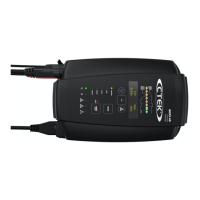
MODE
START
STOP
STOP
SUPPLY
BOOST
Ca/Ca
AGM
NORMAL
SET
1 2 3 4 5 6 7 8
12V/40A
24V/20A
MXTS 40
INCREASE BUTTON
DISPLAY (A)
12V
0.00h
40A
0Ah
DISPLAY (Ah & info)
SET-BUTTON
DISPLAY (h)
DISPLAY (V)
NORMAL PROGRAM
DECREASE BUTTON
MODE-BUTTON
START/STOP-BUTTON
REVERSED POLARITY
BATTERY TEMPERATURE
OUT OF RANGE
OVERVOLTAGE ERROR
AGM PROGRAM
Ca/Ca PROGRAM
BOOST PROGRAM
SUPPLY PROGRAM
POWER LAMP
ERROR LAMP


 To Next Page