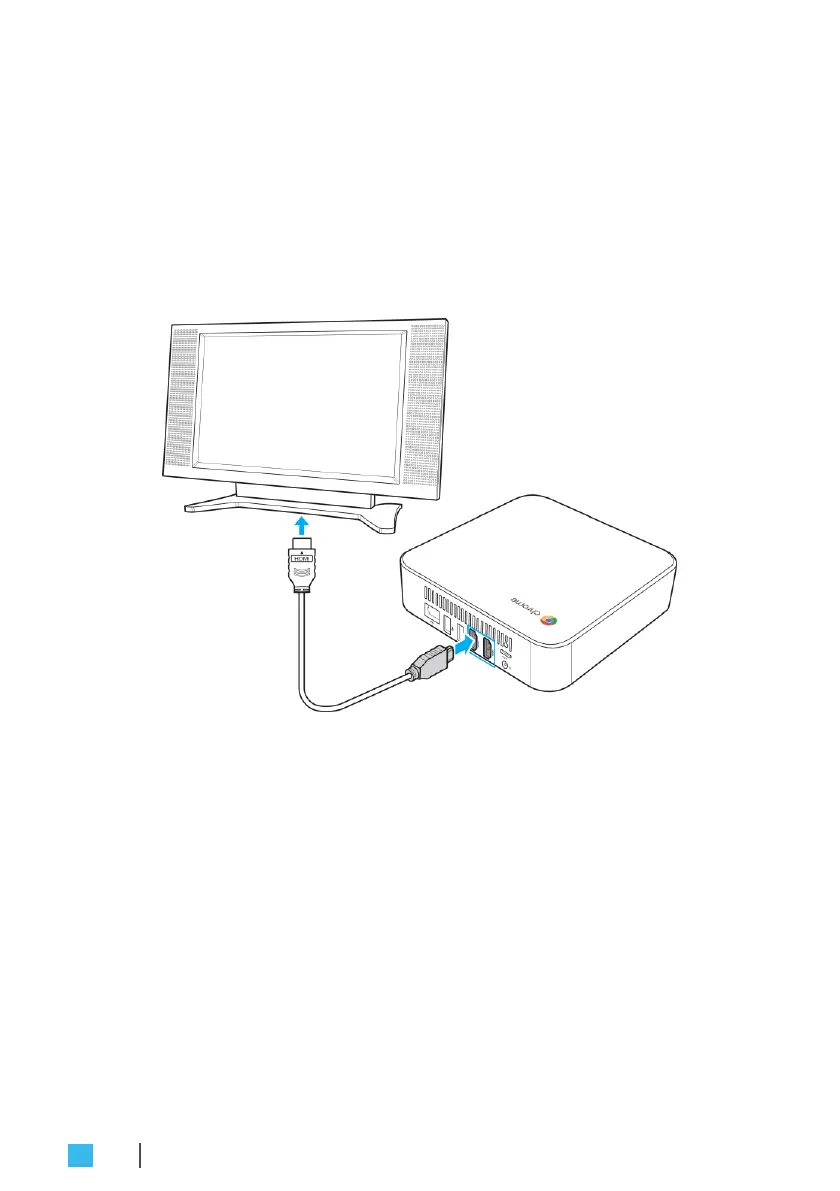
Connecting a display device
To establish the connection, you need to use an HDMI cable
(not supplied).
1.
Connect one end of the HDMI cable to either of the two HDMI
ports on your Chromebox.
2.
Connect the other end of the HDMI cable to the HDMI port of a
display device, for example monitor.
Connecting a mouse and keyboard
Your Chromebox supports both wired and wireless mouse and
keyboard.
Connecting a wired mouse and keyboard
Connect the USB mouse and USB keyboard to the USB2.0 ports on
your Chromebox.
16
GETTING STARTED


 To Next Page