OPERATING THE CHROMEBOX
Navigating the desktop
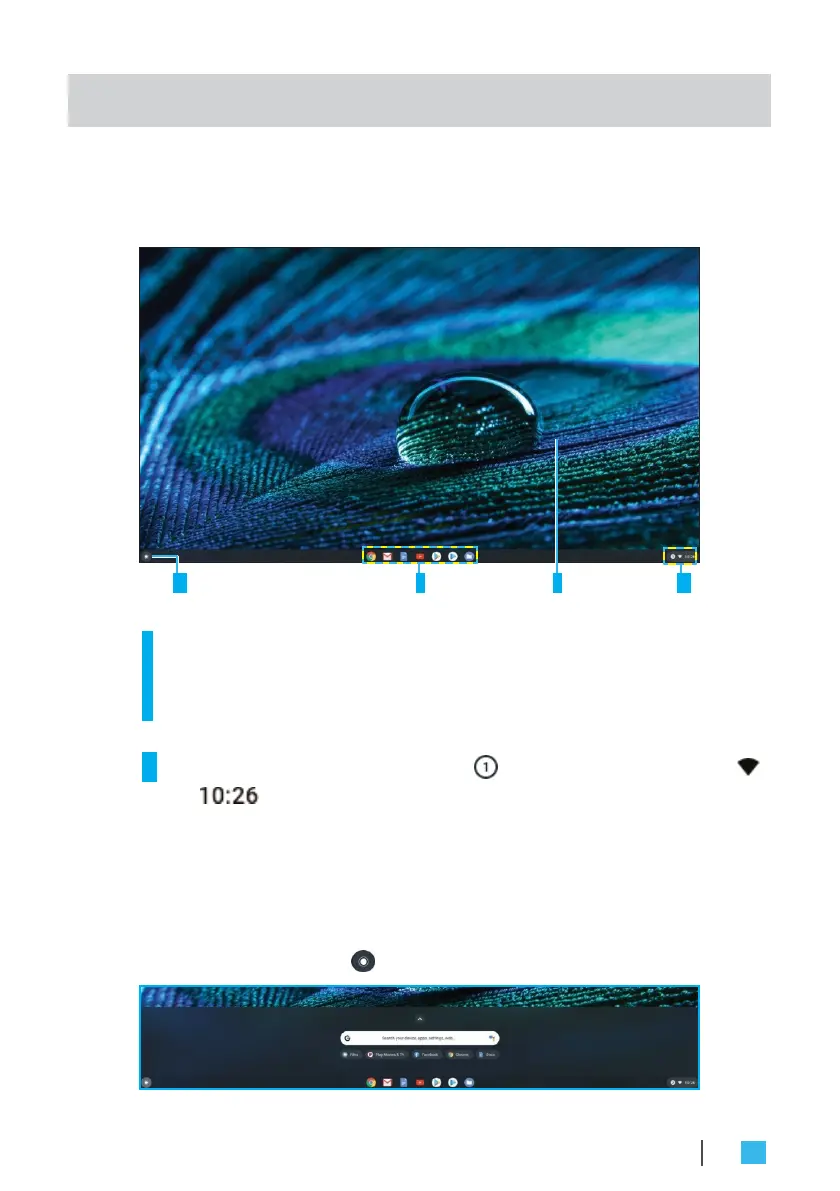
After the initial setup is configured, you will see the desktop.
1 2 3 4
Click on any of the following items:
•
1
Launcher: Manage installed apps and perform search.
•
2
App launcher: Access most frequently used apps quickly.
•
3
Desktop: Right click to manage shelf visibility, position, and
set wallpaper.
•
4
Status tray: View notifications ( ), manage connections ( ),
time ( ), and other settings.
Managing apps
To search, access, and manage apps in your Chromebox, do the
following:
1.
Click on the Launcher .
OPERATING THE CHROMEBOX
23


 To Next Page