Performing additional connections
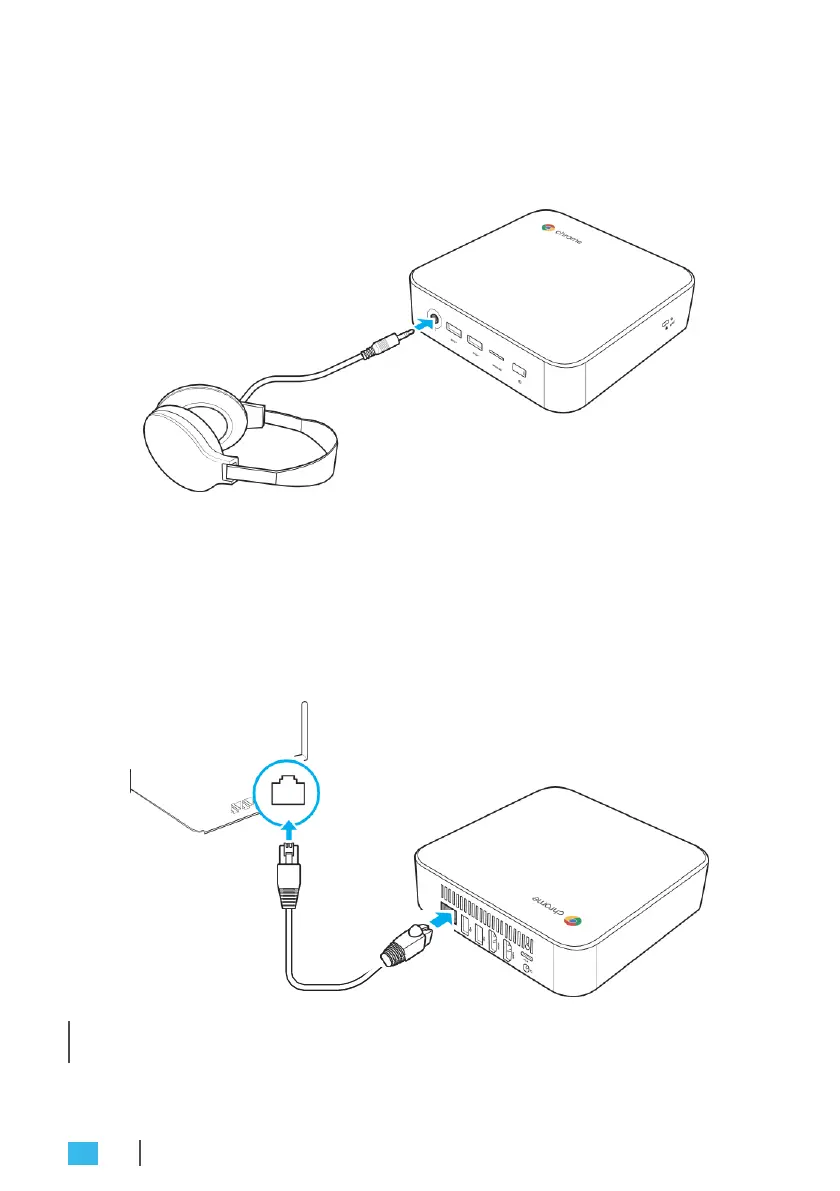
Connecting audio components
Connect the audio component into the audio jack of your Chromebox.
Connecting to local area network (LAN)
1.
Connect one end of the RJ45 cable to the LAN port of your
Chromebox.
2.
Connect the other end of the RJ45 cable to a network
connection device or a network wall connector.
» NOTE: For configuring LAN parameters, refer to page 24.
18
GETTING STARTED


 To Next Page