13.Tablet
When the icon of network server appears in the screen, you could dial or receive callings. The signal
bar on the top right corner show the strength of network signal (When the signal with the strongest signal).
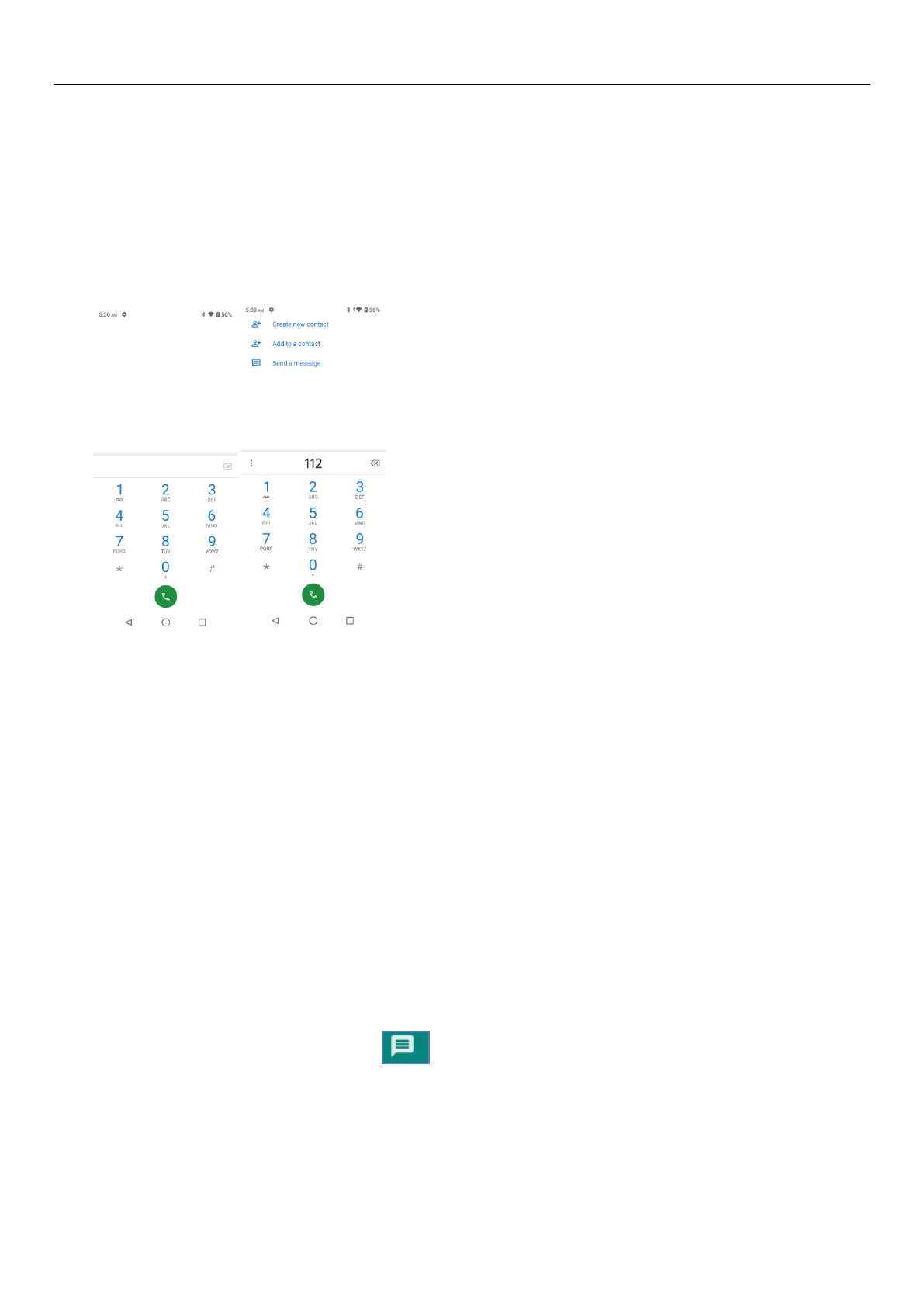
Start dialing
Open application’s main menu>Tablet>Dial the keyboard. You could choose SIM to do the dialing.
Dialing
At the dialing Keyboard ,enter the Tablet number,and then click the dialing key , after that, you
should choose one SIM card.
TeleTablet calls in the call log
Every teleTablet number called and received in“SIM card”will reserved in Tablet’s menu of call log.
Each call to record recentlywill show“SIM card”,All numbers in the call log can be dialed by clicking the
button ”dial” on the right side of the screen.
When number list appearing,click it to catch details;press it for long you could dial via “SIM card”,
meanwhile you can edit, delete, save the number or do other operations.
Receive callings
When calling comes, swipe up to answer.
Refuse to answer the Tablet,
Have a teleTablet call in, swipe down to reject.
Have a teleTablet call in, hold the icon in the lower left corner and swipe fromthe icon to decline
with message, the call will be suspended and the caller will receive the corresponding text messages.
Proximity sensor
According to the distance between Tablet and human body,it will adjust automatically the switch of the
backlight.


 To Next Page