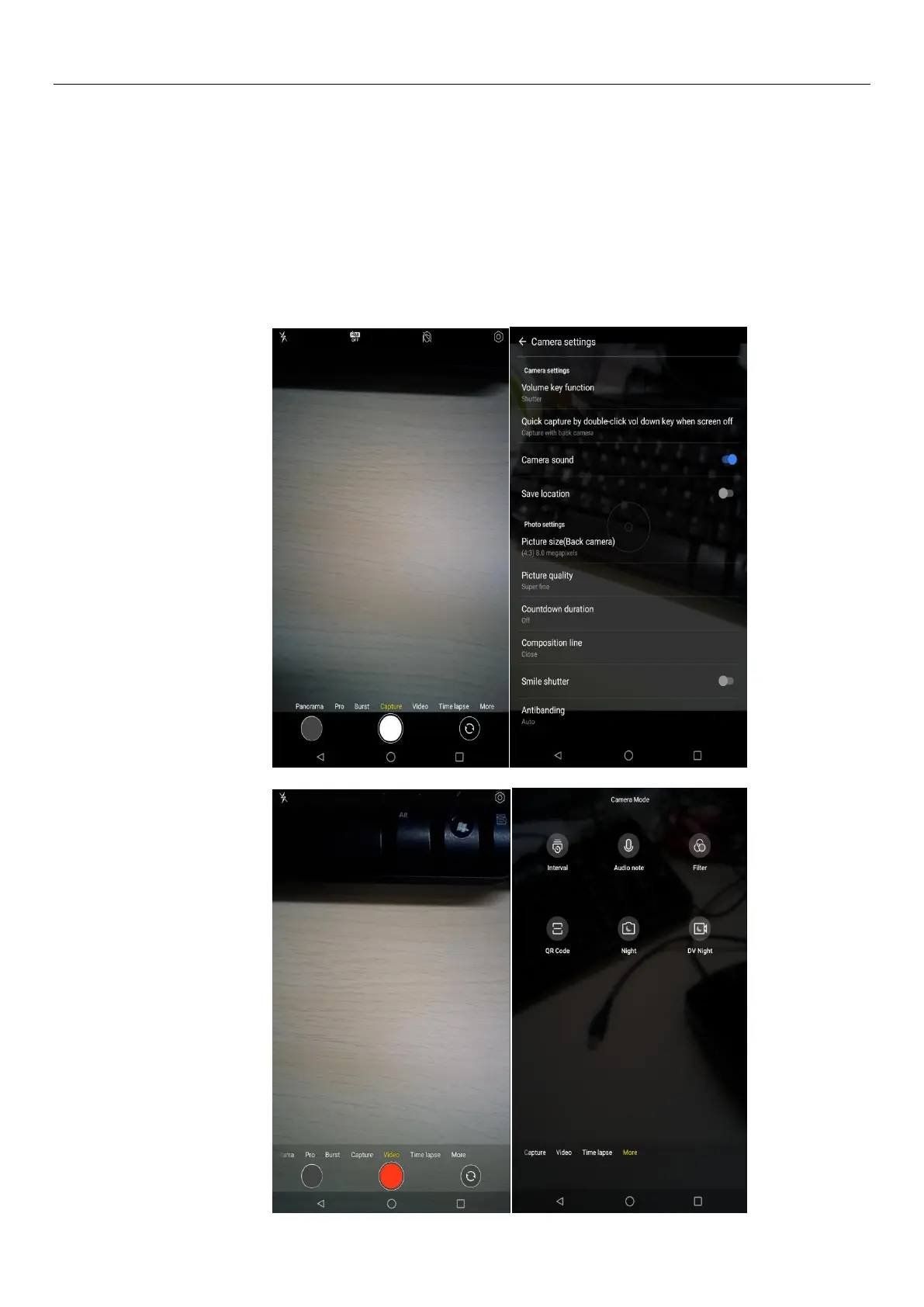
Press home, touch menu, select camera. Take pictures
1)Aim your object with the screen.
2)Touch the “shutter” button on the screen.
3)After taking,photos will save to the camera’s galley folder with the name of taking time.
4)You can view the photos by touching the preview box button.
5)Camera settings
You can touch the button of “setting Menu” in the interface of camera to do the settings
Under camera viewfinder mode, press Menu,you can switch to video or photos’ gallery.
On the bottom right of camera viewfinder mode, display the preview of the previous picture. Touch
preview box, the photodisplay on full screen and you can enlarge it to view details.


 To Next Page