Eco-eicient driving assistance
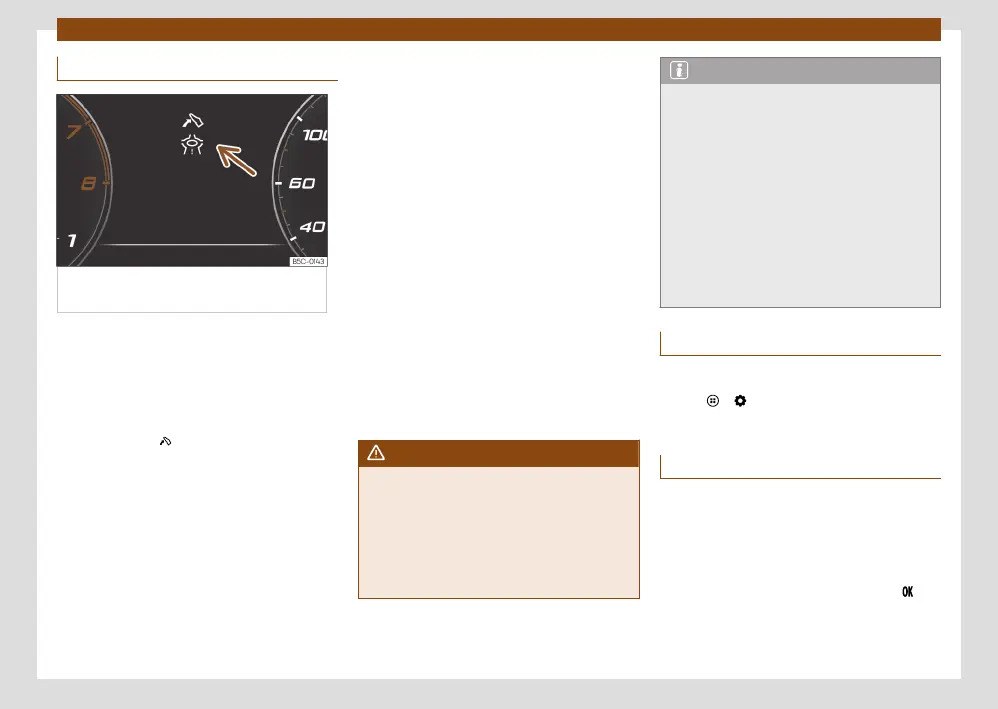
Fig.7 Eco-eicient driving assistance
indication (schematic representation).
Eco-eicient driving assistance helps you drive
with care and with low energy consumption
by following instructions superimposed in the
digital cockpit, depending on the situation.
When you approach places such as a junction,
a roundabout or a section of road with a speed
limit, the symbol is displayed along with an
event in the digital cockpit ›››Fig.7.
As soon as you follow the indication and
take your foot o the accelerator, the vehicle
adapts, based on the selected driving prole
and distance to the incident, brake energy re-
cuperation and speed.
Eco-eicient driving assistance uses the trip
data from the infotainment system and the
sensors of some assist systems. If no destina-
tion guidance is active, the most likely route is
used.
Pressing the accelerator can cancel the inter-
vention of the assistance at any time.
Eco-eicient driving assistance can be
switched on and o in the infotainment
system, in the assistance system settings
›››page32.
Eco-eicient driving assistance is temporarily
switched o if:
●
The gear selector is in the S position.
●
The Performance or CUPRA driving prole
is used.
●
Driving with adaptive cruise control (ACC) or
cruise control (GRA).
When these conditions no longer exist, the as-
sistance is reactivated if it is switched on in the
assist system settings.
Eco-eicient driving assistance is available de-
pending on the equipment, although not in all
countries.
WARNING
The system is not a replacement for driver
awareness.
●
Adapt your speed and driving style at all
times to suit visibility, weather, road and traf-
c conditions.
●
Traic signs on the road and traic regula-
tions have priority over eco-driving notes.
Note
●
The appearance of the symbols may vary
slightly depending on the equipment and
model. System updates may modify or ex-
pand the symbols.
●
When the system is switched on, eco-ef-
cient driving assistance can also increase
recuperation without any indication being
displayed. This can occur in situations such
as when the accelerator pedal is released
when a vehicle is driving in front. In this case,
energy recuperation is adapted match the
speed of the vehicle in front without any indi-
cation being displayed.
Time and date
Setting the time on the infotainment system
●
Press > Settings ›››page27.
●
Select the menu option Date and time.
Service Menu
In the Service menu various settings can be
adjusted depending on the features.
Open the Service menu
Select the Range information prole while in
the Driving data menu, and keep the key
pressed on the multifunction steering wheel
for approximately 4 seconds. When it is re-
leased, the Service menu will be displayed.



 To Next Page