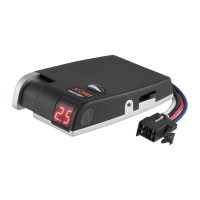
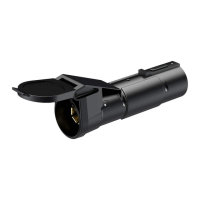
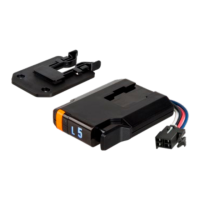
The CURT TriFlex Brake Control is an electronic brake control unit designed for use with 12-volt negative ground systems and trailers equipped with two to eight brakes. It provides both automatic and manual trailer braking, offering detailed brake force output and sensitivity position through a digital display.
Function Description:
The primary function of the TriFlex Brake Control is to manage the braking of a trailer, ensuring smooth and controlled stops. It operates by sending power to the trailer brakes, with the amount of power adjustable by the user. The unit is designed to be compatible with modern vehicle electronic systems, including anti-lock brakes and cruise control, and is protected against common electrical issues such as reverse voltage, voltage spikes, shorts, and overloads. A power conservation mode is integrated, activating after 30 minutes of inactivity and waking when the brake pedal is pressed. The digital display is capable of communicating operational errors, aiding in troubleshooting. The brake control also features reduced output when the vehicle is stationary (e.g., at railroad crossings or stoplights) and automatically compensates for uphill and downhill road conditions. It is designed to work with most electrically activated hydraulic trailer brake systems.
Usage Features:
The TriFlex Brake Control offers several user-adjustable features to customize braking performance:
- Digital Display: Provides real-time information on brake force output, sensitivity position, and operational errors. This display is crucial for initial setup, monitoring, and troubleshooting.
- Output Control: A thumbwheel allows the user to set the maximum amount of power available to the trailer brakes during braking. Rotating the thumbwheel to the right increases power, while rotating it to the left decreases power. The setting is displayed as a flashing number (e.g., 0.5 through 9.9) for a few seconds after adjustment. This control is adjusted during initial setup, when trailer load changes, when different trailers are used, or when road/driving conditions require it.
- Sensitivity Control: This adjustment modifies the aggressiveness of the trailer brakes. Moving the control toward the driver increases aggressiveness, while moving it away decreases it. The sensitivity setting is shown as a flashing number (e.g., L.1 through L.9) when slightly moved. Sensitivity adjustments do not affect manual control and are typically made based on driver preference, trailer load changes, or varying road conditions.
- Manual Control Lever: Located on the front left side of the unit, this lever allows for manual application of only the trailer brakes. Pushing the lever to the right progressively increases the braking force. This feature is useful for initial setup and for gradual speed reduction, such as on steep grades or before stops.
- Manual Control Output Switch: A small switch at the rear of the unit (Switch #2) determines the power output of the manual control. In the default 'ON' position (switch down), the manual control output is limited to the level set by the output control thumbwheel. Moving this switch to the 'OFF' position (switch up) allows 100% of the unit's power to be sent to the brakes when the manual control is actuated, regardless of the output control setting.
- Manual Control Brake Light Activation Switch: Another small switch at the rear of the unit (Switch #1) controls whether the tow vehicle and trailer brake lights activate when the manual control is actuated. The factory default is 'ON' (switch down), activating the brake lights. Moving this switch to the 'OFF' position (switch up) disables brake light activation with the manual control. Note that the red wire connection is still required to activate the TriFlex brake control, regardless of this switch's position.
- Quick Plug Connector: Facilitates easy connection to the tow vehicle, often using application-specific adapter harnesses (e.g., CURT 55515).
Maintenance Features:
While the manual doesn't detail traditional maintenance, it provides crucial information for proper installation, setup, and troubleshooting, which are essential for the device's longevity and performance:
- Installation Guidelines: Emphasizes secure mounting to a solid surface, easy accessibility for the driver, and ensuring a clear area behind the mounting location to prevent damage during drilling.
- Wiring Instructions: Provides a detailed wiring diagram and instructions, including the necessity of connecting positive and ground wires directly to the tow vehicle's battery using 10-gauge minimum stranded wire and a 30-amp circuit breaker. It warns against connecting to existing wiring or alternate grounds, which could damage vehicle circuits, lead to brake control failure, or cause vehicle fire. It also highlights the importance of protecting wires passing through sheet metal.
- Calibration: The unit automatically initiates a mounting position calibration mode upon trailer connection. If recalibration is needed, the display will show a specific error code, and the user is instructed to unplug and replug the trailer's electrical connector.
- Test Drive and Adjustment: Provides a systematic approach to adjusting output and sensitivity settings during a test drive to achieve smooth, firm stops without lockup. It recommends making adjustments while stopped, with the transmission in park or neutral, parking brake applied, and foot off the brake pedal.
- Troubleshooting Guide: A comprehensive table lists various display conditions (e.g., blank display, error codes like d.C, r.C, C.L, O.L, L.b, A.E, E.1, --), their probable causes, and corresponding probable solutions. This guide helps users diagnose and resolve common issues, both with and without a trailer connected.
- Bench Test Instructions: Detailed steps are provided for performing a bench test using a standard automotive bulb, a 12V battery, and test leads or a quick plug with pigtails. This allows users to verify the functionality of the brake controller's manual control and accelerometer before full installation. It includes instructions on how to connect the wires and observe the display and bulb brightness to confirm proper operation.
The manual also includes warnings about voiding the warranty if the factory-supplied quick plug is removed and stresses the importance of firmly mounting the brake control unit to prevent improper operation or brake failure.

 Need help?
 General

 To Next Page