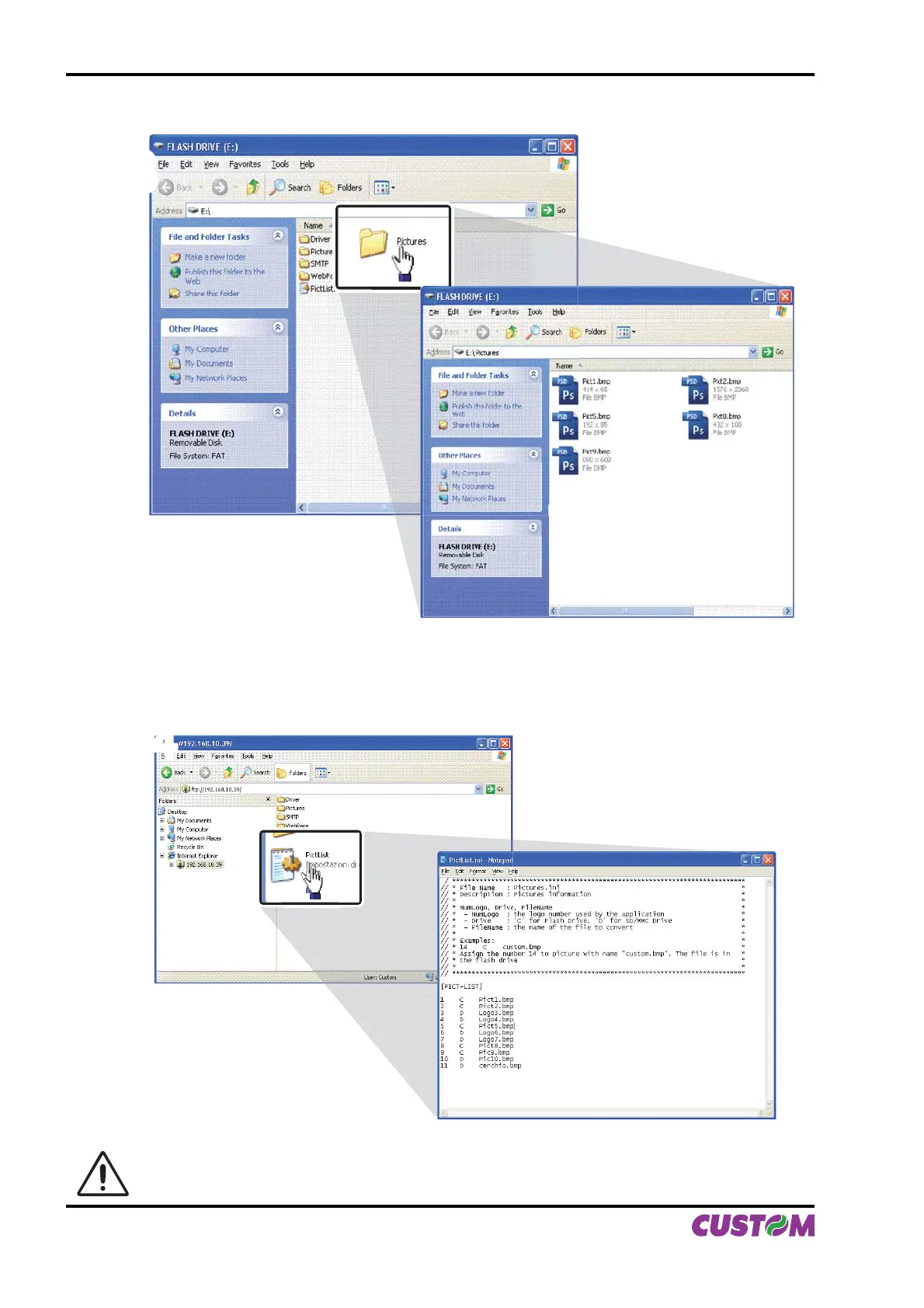
Copy the new logo into the “Pictures” folders (see fi g.C.28).3.
33
4. Add to the confi guration fi le “PictList.ini”, a line with a number associated to the logo (to be used with
printer’s commands), a letter for the memory unit and the logo fi le name, as indicated in the instructions writ-
ten inside the “PictList.ini” fi le (see fi g.C.29).
44
ATTENTION: The confi guration fi le “PictList.ini” on the printer’s Flash Disk, has to be modifi ed
even if the new added logo is stored on SD/MMC (only for models with SD/MMC).
(Fig.C.28)
(Fig.C.29)
APPENDIX C - ADVANCED FUNCTIONS
C-16 KPM216H II User Manual


 To Next Page