C.5.2 Logos management from FTP Server
To add a new logo to the printer from FTP Server, proceed as follows:
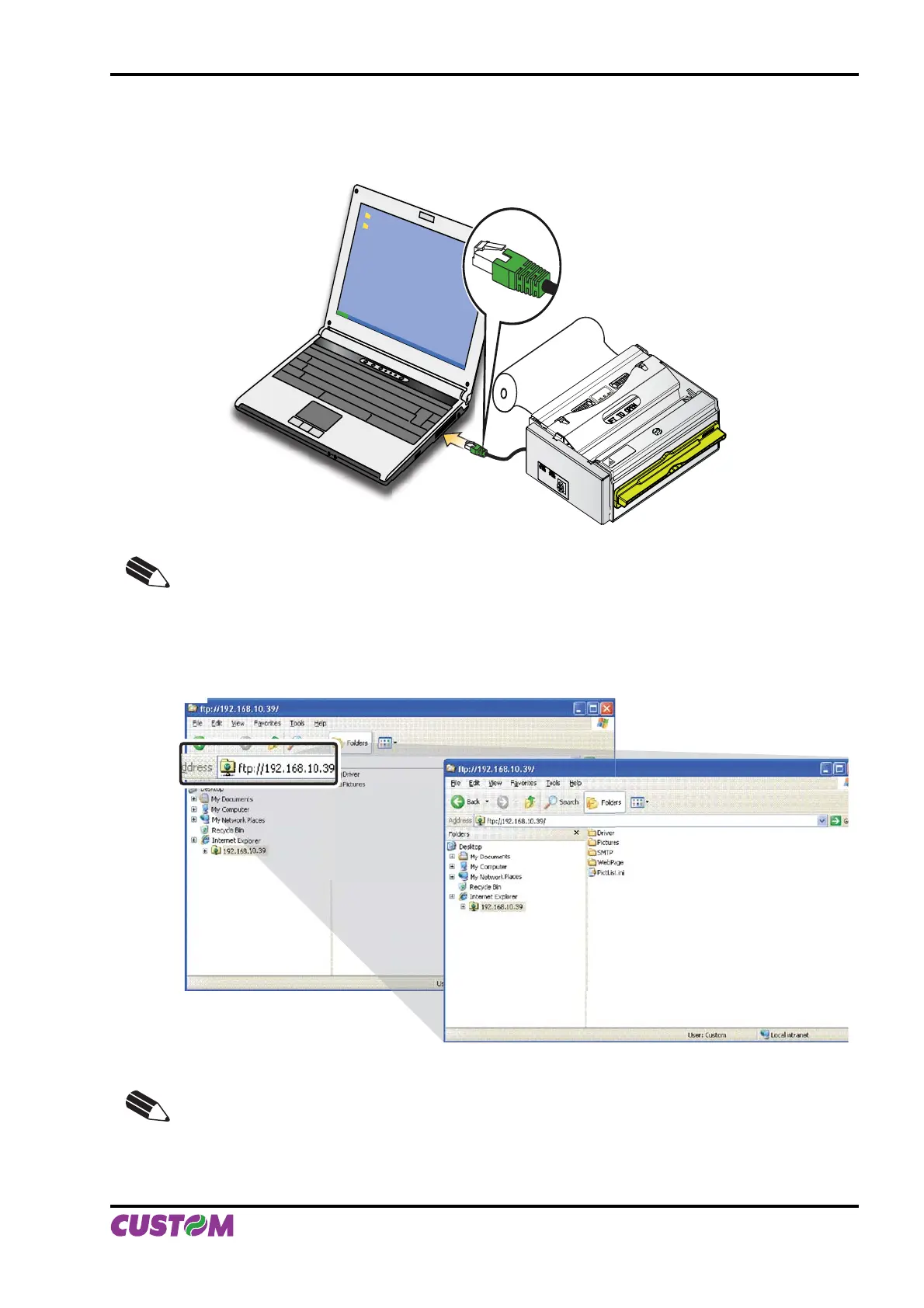
Connect to the network the printer and the computer (see fi g.C.26)1.
WARNING!
MOVING PARTS
PUSH HERE
TO CLOSE
NOTE: To manage logos from FTP Server, enable “FTP Server” parameter into printer Set-up
(see par.C.1.2).
Type in the address bar 2. “ftp://” followed by the IP address of the printer (see fi g.C.27)
22
NOTE:
To know the IP address of the printer, print the Set-up report of the printer (see par.1.4.1) or •
use “Locator” (see par.C.3).
In models with SD/MMC, it is possible to store the new logo both on SD/MMC and on Flash •
Disk.
(Fig.C.26)
(Fig.C.27)
APPENDIX C - ADVANCED FUNCTIONS
User Manual KPM216H II C-15



 To Next Page