EasyManua.ls Logo

CyberPower AVR Series - User Manual

CyberPower AVR Series
8 pages
Print Icon
To Next Page IconTo Next Page
Loading...
Skip to content
Manuals+
User Manuals Simplified.
CyberPower CP900AVR AVR UPS Series User Manual
Home » CyberPower » CyberPower CP900AVR AVR UPS Series User Manual
YOUR ULTIMATE ALLY IN POWER
AVR UPS SERIES
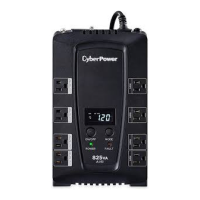
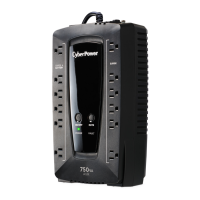
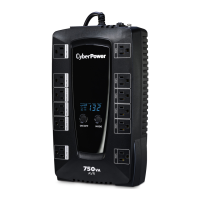
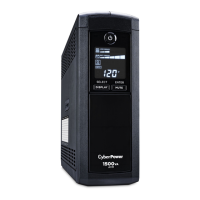
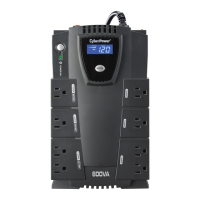
CP900AVR / CP1200AVR / CP1500AVRT
USER MANUAL

Questions and Answers

  • D
    David CrosbyJul 28, 2025
    What to do if CyberPower AVR will not turn on?
    • L
      Lisa JonesJul 28, 2025
      If your CyberPower UPS will not turn on, there are several possible reasons. First, the on/off switch is designed to prevent damage by rapidly turning it off and on, so turn the UPS off, wait 10 seconds, and then turn it back on. Second, ensure the unit is connected to a 120V 60Hz outlet. If the issue persists, the battery may be worn out, and you should contact CyberPower Systems about replacement batteries. Finally, if none of these steps work, there may be a mechanical problem, and you should contact CyberPower Systems for assistance.
  • K
    Karen JamesAug 4, 2025
    How to fix CyberPower AVR UPS surge protection outlets not providing power?
    • W
      William FosterAug 4, 2025
      If the full-time surge protection outlets on your CyberPower UPS stop providing power, it's likely due to a tripped circuit breaker caused by an overload. To resolve this, turn off the UPS, unplug at least one piece of equipment, wait 10 seconds, reset the circuit breaker by pressing the button, and then turn the UPS back on.
  • R
    Ryan CarterAug 12, 2025
    Why CyberPower UPS doesn't provide expected runtime?
    • M
      Michael DiazAug 13, 2025
      If your CyberPower UPS isn't providing the expected runtime, there are a couple of potential causes. First, the battery may not be fully charged. To address this, recharge the battery by leaving the UPS plugged in. Alternatively, the battery might be worn out, in which case you should contact CyberPower Systems about replacement batteries.
  • Y
    ymaynardAug 20, 2025
    How to fix inactive PowerPanel® Business on CyberPower AVR UPS?
    • P
      perkinslaurenAug 20, 2025
      If PowerPanel® Business is inactive, there are a couple of things to check. First, make sure the USB cable is properly connected to both the UPS unit and an open USB port on the back of your computer. If it is connected, the unit may not be providing battery power. To fix this, shutdown your computer, turn the UPS off, wait 10 seconds, and then turn the UPS back on. This should reset the unit.

Summary

Features

Product Registration

Important Safety Warnings

Installing Your UPS System

Overview

Provides a general description of the UPS unit and its capabilities.

Automatic Voltage Regulator

Explains how the UPS stabilizes inconsistent utility power voltage to safe levels.

Determine the Power Requirements of Your Equipment

Guides users on calculating the power capacity needed for connected equipment.

Hardware Installation Guide

Step-by-step instructions for physically installing the UPS and connecting devices.

Basic Operation

Power Switch and Mute Button

Details the functionality of the power switch and the mute button for alarms.

LED Indicators

Explains the meaning of various LED indicators on the UPS unit.

Outlets Overview

Describes the different types of outlets available on the UPS for connected equipment.

Circuit Breaker and Wiring Fault Indicator

Details the circuit breaker for overload protection and the wiring fault indicator.

Communication Ports

Explains the USB and DB9 ports for computer communication and dry contact closure.

Replacing the Battery

Battery Replacement Procedure

Step-by-step instructions for safely removing and installing replacement batteries.

Definitions for Illuminated LED Indicators

Function Setup Guide - Sensitivity Setup

Troubleshooting

Technical Specifications

System Function Block Diagram

CyberPower Green Power UPS Technology

FCC Compliance Statement

Canadian Compliance Statement

Limited Warranty and Connected Equipment Guarantee

File Downloads

References

CyberPower AVR Series Specifications

General IconGeneral
Battery TypeSealed Lead-Acid (SLA)
Typical Recharge Time8 Hours
CapacityVaries by model (e.g., 700VA, 1000VA, 1500VA)
TopologyLine Interactive
WaveformSimulated Sine Wave
Input Voltage Range90V - 140V
Output Voltage120V
Backup TimeVaries by model and load
OutletsVaries by model (e.g., 8 total outlets)
Communication PortsUSB
AVRYes
Input Voltage120V
Frequency60Hz
Warranty3 years
Data Line ProtectionYes (on select models)

Related product manuals