EasyManua.ls Logo

CyberPower CP1350EAVRLCD - User Manual

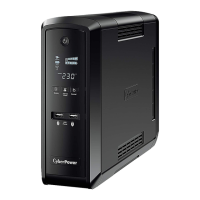
CyberPower CP1350EAVRLCD
8 pages
Print Icon
To Next Page IconTo Next Page
Loading...
K01-0000076-00
CP1350EAVRLCD/CP1500EAVRLCD
User’s Manual

Questions and Answers

  • G
    Gary McdonaldJul 31, 2025
    How to fix a CyberPower CP1350EAVRLCD that will not turn on?
    • A
      Ashley NewmanAug 1, 2025
      There are several reasons why your CyberPower UPS might not turn on. One possibility is that the on/off switch is designed to prevent damage from rapid cycling. Try turning the UPS off, waiting 10 seconds, and then turning it back on. If that doesn't work, the battery might be worn out, in which case you should contact CyberPower Systems at service@cyberpower-eu.com for battery replacement options. Finally, it could be a mechanical issue, and you should contact CyberPower Systems at service@cyberpower-eu.com for assistance.
  • F
    Fernando NelsonAug 8, 2025
    What to do if CyberPower CP1350EAVRLCD UPS surge protection outlets stop working?
    • H
      Heather SmithAug 8, 2025
      If the full-time surge protection outlets on your CyberPower UPS stop providing power, it's likely due to a tripped circuit breaker caused by an overload. To resolve this, turn off the UPS, unplug at least one connected device, wait 10 seconds, reset the circuit breaker by pressing the button, and then turn the UPS back on.
  • S
    Sarah HughesAug 15, 2025
    Why is my CyberPower CP1350EAVRLCD UPS not providing the expected runtime?
    • K
      kristennavarroAug 15, 2025
      If your CyberPower UPS isn't providing the expected runtime, there are a couple of potential reasons. First, the battery might not be fully charged; ensure the UPS is plugged in to allow the battery to recharge. Alternatively, the battery may be wearing out. In this case, contact CyberPower Systems at service@cyberpower-eu.com to inquire about replacement batteries.
  • N
    Nicholas StevensAug 23, 2025
    What to do if PowerPanel® Personal Edition is inactive for CyberPower CP1350EAVRLCD?
    • S
      Stephanie SchneiderAug 23, 2025
      If the PowerPanel® Personal Edition is inactive, make sure the USB cable is correctly connected between the CyberPower UPS unit and an open serial port on the back of your computer, using the cable that came with the unit. If the issue persists, your computer might not be getting battery power. Try shutting down your computer, turning off the UPS, waiting 10 seconds, and then turning the UPS back on to reset the unit.

Summary

Important Safety Instructions

Installing Your UPS System

Guidance on setting up the UPS, including unpacking, overview, and determining power requirements.

Basic Operation

UPS Power Switch

Master on/off switch for connected equipment to battery power supplied outlets.

Power On Indicator Light

LED indicator under the power switch, illuminating when UPS provides power free of surges/spikes.

LCD Module Display Information

High-resolution display showing UPS information, icons, and messages for monitoring.

LCD Display Control Switch

Switch to select LCD display contents or silence buzzer by holding during battery operation.

USB Port for PC Connectivity

Enables communication between the UPS and computer via PowerPanel® Personal Edition software.

Battery & Surge Protected Outlets

Three outlets providing battery backup and surge protection for connected equipment.

Full-Time Surge Protection Outlets

Three outlets providing continuous surge suppression, always on.

Communication Port Protection

Ports to protect modem, fax, telephone, and network connections from surges.

AC Power Input Connection

Connection point for the AC power cord to a grounded outlet.

Circuit Breaker Functionality

Provides overload and fault protection, located on the side of the UPS unit.

Hardware Installation Guide

CyberPower GreenPower UPS Technology

Explains the energy-saving design that bypasses the transformer during normal utility power.

Battery Replacement

Battery Replacement Procedure

Step-by-step instructions for safely removing and installing replacement batteries.

LCD Indicator Definitions

Technical Specifications

Troubleshooting UPS Issues

CyberPower CP1350EAVRLCD Specifications

General IconGeneral
Output power810 W
Response time6 ms
Input frequency47/63 Hz
Audible alarm(s)Yes
Output power capacity1.35 kVA
Dimensions (WxDxH)100 x 374 x 249 mm
Nominal output voltage230 V
Compatible operating systemsWindows 98/Me/2000/NT/XP/Vista, Linux
Battery technologySealed Lead Acid (VRLA)
Battery recharge time8 h
Modem (RJ-11) ports1
USB 2.0 ports quantityUSB 2.0 ports have a data transmission speed of 480 Mbps, and are backwards compatible with USB 1.1 ports. You can connect all kinds of peripheral devices to them.
Product colorBlack
Storage temperature (T-T)-15 - 45 °C
Operating temperature (T-T)0 - 40 °C
Operating relative humidity (H-H)0 - 95 %
Weight and Dimensions IconWeight and Dimensions
Weight9900 g

Related product manuals