EasyManua.ls Logo

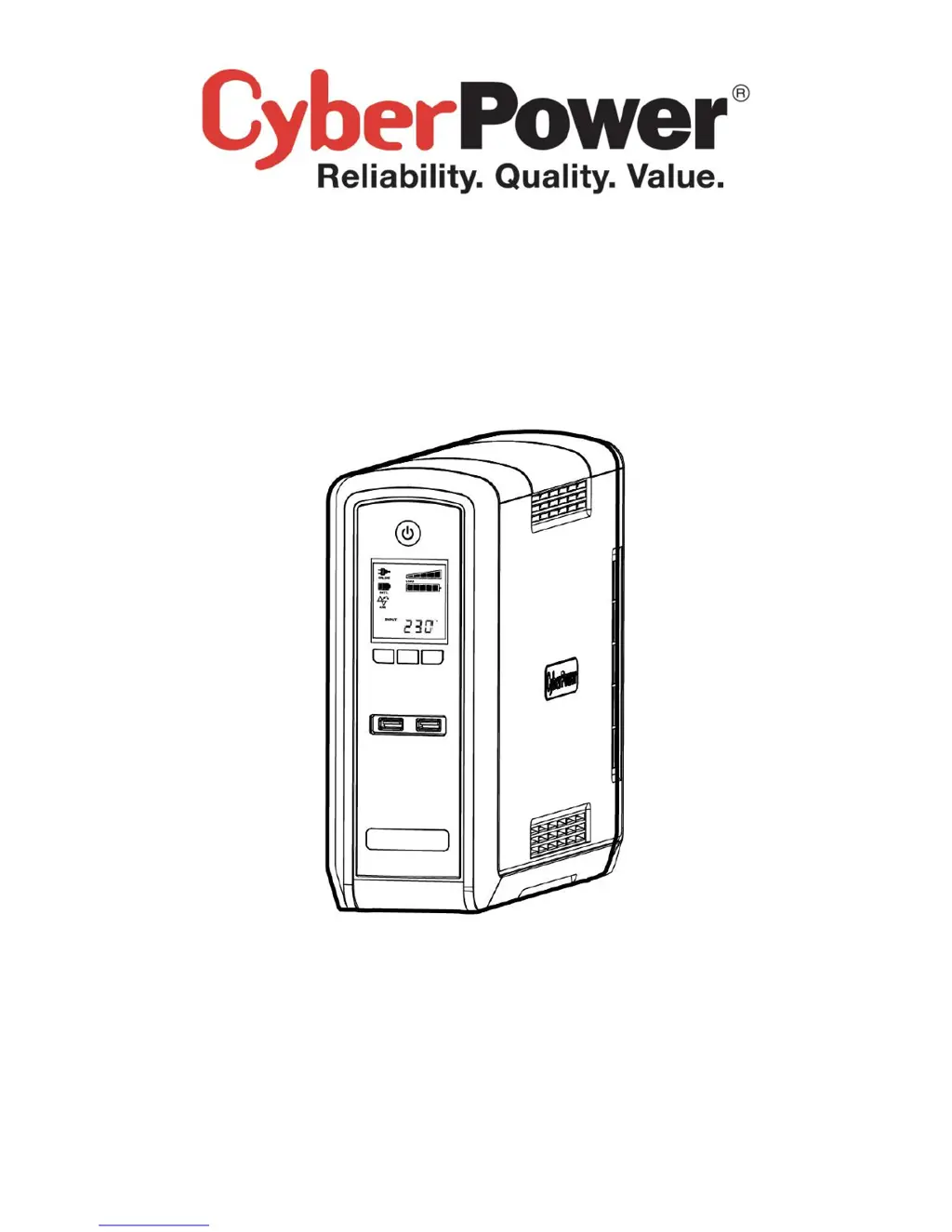
CyberPower CP1500EPFCLCD - User Manual

CyberPower CP1500EPFCLCD
10 pages
Print Icon
To Next Page IconTo Next Page
Loading...
K01-0000197-00
CP1300/1500EPFCLCD
User’s Manual

Other manuals for CyberPower CP1500EPFCLCD

Questions and Answers

  • J
    Jeffrey MontgomeryAug 13, 2025
    What to do if my CyberPower UPS won't turn on?
    • G
      Gregory DavisAug 13, 2025
      There are several reasons why your CyberPower UPS might not be turning on. First, the on/off switch is designed to prevent damage from rapid cycling, so turn the UPS off, wait 10 seconds, and then turn it back on. Second, the battery may be worn out. Finally, there may be a mechanical problem.
  • M
    Michael LynnAug 16, 2025
    How to fix CyberPower UPS that will not turn on?
    • L
      Laura MillerAug 17, 2025
      There are several reasons why your CyberPower UPS might not turn on. The on/off switch is designed to prevent damage by rapidly turning it off and on. Turn the UPS off, wait 10 seconds, and then turn it back on. If this doesn't work, contact CyberPower Systems at service@cyberpower-eu.com, as the battery may be worn out or there could be a mechanical problem.
  • N
    Nicole MilesAug 20, 2025
    Why is my CyberPower CP1500EPFCLCD not providing the expected runtime?
    • V
      vaughngloriaAug 20, 2025
      The CyberPower UPS may not perform the expected runtime if the battery is not fully charged; in this case, recharge it by leaving the UPS plugged in. Also, the battery may be slightly worn out.
  • T
    Travis RichardsAug 25, 2025
    What to do if the Circuit breaker button is projecting from the back of my CyberPower CP1500EPFCLCD UPS?
    • D
      Drew BakerAug 25, 2025
      If the circuit breaker button is projecting from the back of your CyberPower UPS, it means the circuit breaker has tripped due to an overload. To fix this, turn the UPS off and unplug at least one piece of equipment. Wait 10 seconds, reset the circuit breaker by depressing the button, and then turn the UPS on.
  • A
    Anthony WhiteAug 28, 2025
    What to do if PowerPanel® Personal Edition is inactive with my CyberPower CP1500EPFCLCD?
    • H
      Heather StricklandAug 28, 2025
      If PowerPanel® Personal Edition is inactive, it could be due to a disconnected USB cable. Ensure the USB cable is connected to the UPS unit and an open serial port on the back of the computer, using the cable that came with the unit. Alternatively, the unit may not be providing battery power. To resolve this, shut down your computer and turn the UPS off, wait 10 seconds, and then turn the UPS back on to reset the unit.
  • T
    Terrence DavisAug 31, 2025
    What to do if the CyberPower CP1500EPFCLCD UPS circuit breaker button is projecting?
    • R
      rgrossSep 1, 2025
      If the circuit breaker button is projecting from the back of your CyberPower UPS unit, it indicates that the circuit breaker has tripped due to an overload. To resolve this, turn the UPS off and unplug at least one piece of equipment. Wait 10 seconds, reset the circuit breaker by depressing the button, and then turn the UPS back on.
  • A
    Ashley SandersSep 4, 2025
    Why CyberPower CP1500EPFCLCD UPS does not perform expected runtime?
    • D
      David StokesSep 5, 2025
      There are a couple of reasons why your CyberPower UPS might not be performing as long as expected. It could be that the battery is not fully charged; in this case, recharge it by leaving the UPS plugged in. Alternatively, the battery might be slightly worn out, in which case you should contact CyberPower Systems at service@cyberpower-eu.com about replacement batteries.
  • M
    morganhesterSep 8, 2025
    What to do if PowerPanel® Personal Edition is inactive on CyberPower UPS?
    • E
      Elizabeth GreenSep 8, 2025
      If the PowerPanel® Personal Edition is inactive, it could be due to a couple of reasons. First, check that the USB cable is connected to the UPS unit and an open serial port on the back of the computer, using the cable that came with the unit. If it is connected, the unit might not be providing battery power. In this case, shutdown your computer and turn the UPS off. Wait 10 seconds and turn the UPS back on to reset the unit.

CyberPower CP1500EPFCLCD Specifications

General IconGeneral
TopologyLine Interactive
Output Voltage120V
Output Frequency60 Hz
Input Voltage120V
Battery TypeSealed Lead Acid
Typical Backup Time at Full Load3 minutes
Typical Recharge Time8 hours
LCD DisplayYes
Form FactorTower
AVRYes
Communication InterfaceUSB
Capacity1500VA / 900W
Output WaveformSine Wave
Battery RuntimeVaries by load
Data Line ProtectionRJ45
Transfer Time4 ms

Related product manuals