EasyManua.ls Logo

CyberPower RKBS15S2F8R - User Manual

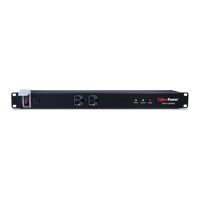
CyberPower RKBS15S2F8R
8 pages
Print Icon
To Next Page IconTo Next Page
Loading...
RackBar(tm)
Surge
User Manual
sales@corporatearmor.com
877.449.0458

Questions and Answers

  • G
    Gloria ColemanJul 30, 2025
    How to fix CyberPower RKBS15S2F8R RKBS outlets not providing power?
    • G
      Gina WoodwardJul 30, 2025
      If the RKBS outlets on your CyberPower Surge Protector are not providing power, it could be due to several reasons: * An open breaker: Reset the breaker. * A loose power cord: Ensure the power cord plug is completely connected. If the problem persists after checking these, further assistance from tech support may be needed.
  • A
    andreabaileyAug 6, 2025
    What to do if the Protected LED is not illuminated on CyberPower Surge Protector?
    • L
      Lee CrosbyAug 6, 2025
      If the Protected LED on your CyberPower Surge Protector is not illuminated, it means the surge protection is exhausted. Contact tech support for assistance.
  • M
    Maria BatesAug 13, 2025
    What to do if the CyberPower RKBS15S2F8R Surge Protector circuit breaker has tripped?
    • A
      acaldwellAug 14, 2025
      If the CyberPower Surge Protector's circuit breaker has tripped due to a sustained overload, reset the breaker. Note that tripping may also be caused by excessive ambient temperatures or a faulty breaker; in such cases, further assistance may be needed from technical support.
  • N
    nelsonalisonAug 21, 2025
    Why is the Grounded LED not illuminated on my CyberPower RKBS15S2F8R Surge Protector?
    • A
      Andrew CabreraAug 21, 2025
      If the Grounded LED on your CyberPower Surge Protector is not illuminated, it indicates an open ground circuit. Check the site ground to resolve this issue.

Summary

Model List and Package Contents

Model List

Lists various RackBar Surge Unit (RKBS) model numbers.

Package Contents Overview

Details included components like RKBS unit, tray, brackets, and screws.

RKBS Naming Convention

Explains the naming structure for RKBS models (Amperage, Series, Outlets).

Safety and Installation Procedures

General Safety Precautions

Critical warnings for safe installation and operation of the RackBar Surge unit.

Horizontal Installation Guide

Step-by-step instructions for mounting the RKBS unit horizontally in a rack.

Vertical Installation Guide

Step-by-step instructions for mounting the RKBS unit vertically using brackets.

Electrical Setup and Verification

Cord Retention Tray Installation

Instructions for attaching the cord retention tray and clips to the unit.

Electrical Installation Steps

Guide for receptacle evaluation, plugging in, and load calculation.

Protection Indicator Verification

How to verify proper grounding and surge protection status via LEDs.

Product Features and Specifications

Product Feature Overview

Visual identification of front and back view components of the RKBS unit.

Detailed Technical Specifications

Covers input/output, surge suppression, physical, environmental, and certifications.

Product Registration and Support

Product Registration Benefits

Information on how and why to register your CyberPower product.

Technical Support Contact

Provides contact methods for installation and troubleshooting assistance.

Limited Warranty and Guarantee

Details on warranty coverage, period, and connected equipment guarantee.

Warranty Service and Claim Process

Instructions on how to obtain service and make a warranty claim.

Warranty Exclusions and Limitations

Warranty Shipping and Exclusions

Information on shipping costs and what the warranty does not cover.

Warranty Limitations and Conditions

Key limitations and requirements for warranty validity.

CEG Coverage Limitations

Specific limitations for Connected Equipment Guarantee coverage.

High-Risk Activity Disclaimer

Disclaims liability for use in high-risk activities or with aquariums.

CyberPower RKBS15S2F8R Specifications

General IconGeneral
BrandCyberPower
ModelRKBS15S2F8R
CategorySurge Protector
LanguageEnglish

Related product manuals