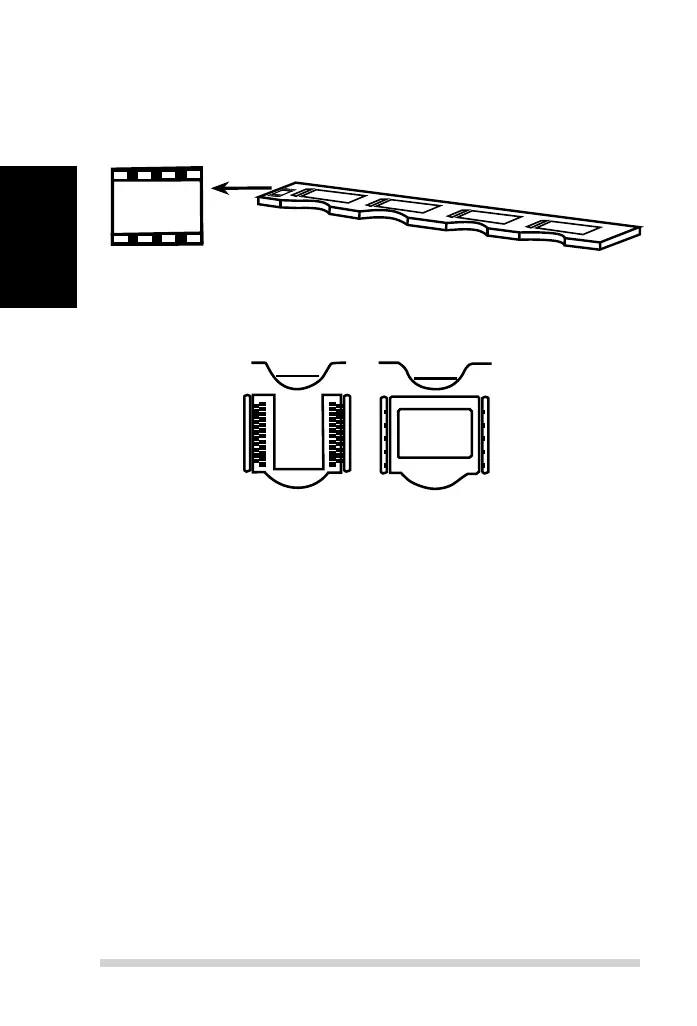
Loading 135 mounted slides into the holder
a. Orient slides based on the example graphic “abc” on the holder.
b. Insert mounted slides into the holder.
abc
a
b
c
3
2
INCORRECT CORRECT
Insert the lm holder into the scanner from the left or right side into the small
opening. Push the holder inside until you feel it hit a stop, then scan. After the
scan is done, push the holder farther into the scanner until it hits another stop,
and scan again. Repeat until the end of the holder.
Make sure that the orientation of white arrows on the holder correspond with
the triangle mark on the scanner. (see previous page for illustration).
135 slide holder
Loading 135 lm and slide holder into the scanner
16



 To Next Page