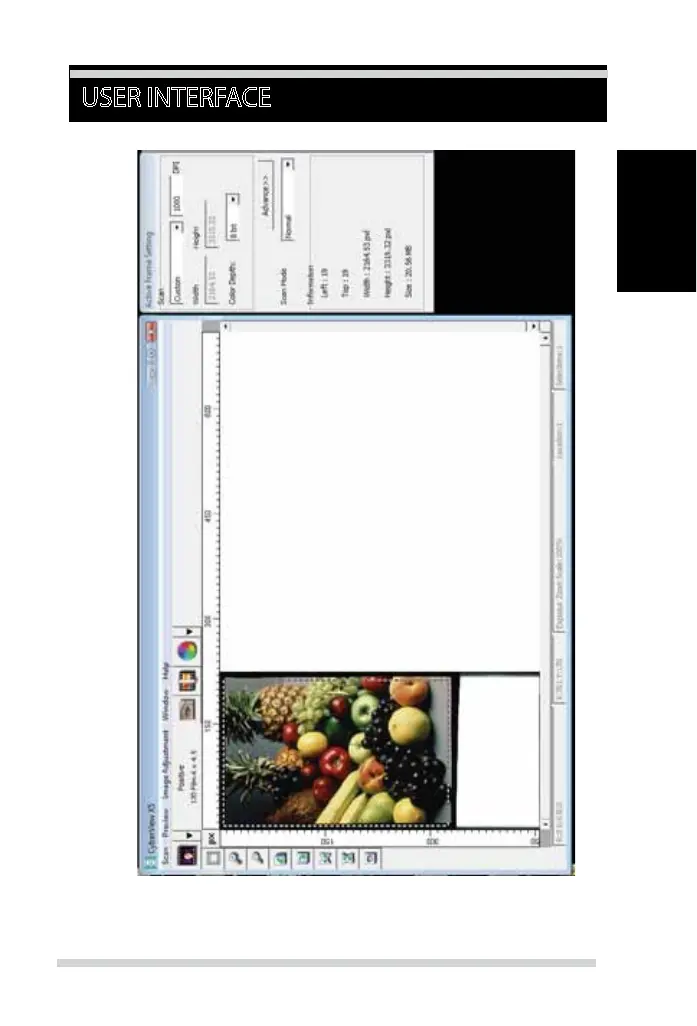
There are three major parts of the CyberView user interface:
I. Menu Commands [Overview + Full]
II. Function Bar Diagram / Toolbar Diagram
III. Active Frame Settings Area
I. Menu Commands [Overview]
Menu Commands - Scan
(overview)
a. Prescan
b. Scan
c. Revert
d. Preference
e. Exit / Quit
Zoom, Rotate & Flip features.
Menu Commands - Preview (overview)
27
ENGLISH
26
USER INTERFACE
There are three major parts of the CyberView user interface:
I. Menu Commands [Overview + Full]
II. Function Bar Diagram / Toolbar Diagram
III. Active Frame Settings Area
I. Menu Commands [Overview]
Menu Commands - Scan
(overview)
a. Prescan
b. Scan
c. Revert
d. Preference
e. Exit / Quit
Zoom, Rotate & Flip features.
Menu Commands - Preview (overview)



 To Next Page