Increase or decrease volumeVolume keys7
Scans for available TV transmitters, or will seek the next strongest
FM station or FM transmitter frequency.
Display option key8
Plug in headphones to listen to channelsHeadphone jack9
Stores and exits setupSTOP key10
When storing FM presets, this button will clear all stored FM radio
presets. Toggles near/far for UHF receiver sensitivity.
Setup key11
Enters menu, accepts value shown, moves forward in menu.Enter key12
Navigates TV channels or manually tunes FM frequenciesUp/Down keys13
A/V setup mode
1. Plug the optional power cord into a power outlet from a grounded circuit, See Electrical Requirements.
Coil up the remainder of the power cord and place it out of the way. If you do not have the optional
power supply, skip to step 3.
2. Verify the control panel will illuminate and is in Dormant Mode.
3. Hold the handrails to steady self while stepping into the pedals.
4. Begin pedaling.
5.
Press and hold SCAN and Up for 3 seconds.
Display will show clock icon.
6.
Press Down to navigate to the A/V screen.
7. Press Enter to enter setup mode.
8.
Press the Up or Down keys to change A/V type from none to UHF, FM, or C.A.B. (Console
Adapter Box for Broadcast Vision). If C.A.B. is selected, no further setup is required.
9. Plug in headphones to listen for channels during setup.
Setup UHF Transmitters
For transmitter types 900 MHz, 863 MHz or 806 MHz. Use this procedure to associate channel numbers
to your TV transmitters. If using an FM transmitter system, skip to Setup TV FM Transmitters.
Pick transmitter type
1. Enter A/V setup mode.
2.
Select UHF and press the ENTER key.
3.
Press the ENTER key again to change transmitter type.
Page 31 of 80
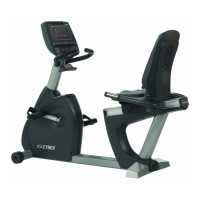
Cybex 625C/625R Cycle Part Number LT-23688-4 F


 To Next Page