Cypress EZ-USB® FX3™ SDK Quick Start Guide, Version 1.3.1 12
3 Working with the SDK
3.1 Programming the FX3 device
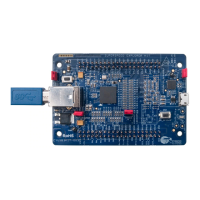
The FX3 examples can be built and run on the FX3 DVK. The following steps
describe the setup and boot process:
1. Install the components of the SDK (Firmware, Toolchain, IDE and Host
drivers) on the host machine.
2. Connect the FX3 board to the host machine and power the board up.
3. Bind the driver for the FX3 device.
4. Launch the IDE, import the example projects and build them
5. Launch the CyControl Center utility (available from USB Suite software)
6. Download the boot image to the FX3 device using the Control Center
“Download Firmware” feature.
7. The FX3 device will reboot using this new firmware.
These steps are explained in more detail in the following sections.
The UsbBulkLoopAuto example is used here to explain the steps. This example
implements a vendor specific USB 3.0 peripheral with two bulk endpoints. The
firmware application loops back any data that is sent on the OUT endpoint on the
IN endpoint.
Section 8 of the FX3 Programmers Manual describes the overall application
structure.
It is assumed that the FX3 DVK board is used to run the firmware.
Note: The CyControl utility is a Windows based utility, and the above steps assume
that a Windows Host is being used. Please refer to the CyUSB for Linux
documentation for a description of how to perform these steps on a Linux host.
3.2 Building the firmware
Each of the firmware examples in the FX3 SDK has an Eclipse project associated
with it, which can be used for building and debugging the application. The
instructions for building and running the Firmware examples using the Eclipse IDE
and GNU tool-chain are provided in detail in Section 11.2.2 of the FX3

 To Next Page
 Loading...