Cypress EZ-USB® FX3™ SDK Quick Start Guide, Version 1.3.1 13
Programmers Manual. The section details how to import the projects, configure
settings for the projects, debug and run the example using GNU debugger.
Import all of the firmware examples in the SDK into the Eclipse IDE. The example
applications are automatically built when they are imported, and generate ELF
binaries. These binaries are converted by the Eclipse projects to binary image
format using the elf2img utility. This binary image format can be programmed onto
the FX3 part. The elf2img binary conversion utility is part of the FX3 SDK
(<Installation folder>\util\elf2img). The eclipse project post build step uses the
following command for performing the conversion.
elf2img.exe –i BulkLoopAuto.elf –o BulkLoopAuto.img
Refer to the readme.txt under (<Installation folder>\util\elf2img) for more
information on the conversion tool and the command line options. Also refer to the
application note AN76405 - EZ-USB FX3 Boot Options for information about the
boot procedure and options.
3.2.1 Serial Peripheral Drivers and APIs
The drivers and APIs for the FX3 serial peripheral interfaces (I2C, I2S, SPI, UART
and GPIO) are provided with the FX3 SDK in source form. Full register
documentation for these blocks is part of the FX3 Programmer‟s Manual.
The drivers and APIs for the serial peripherals are built into a separate ARM EABI
library (cyu3lpp.a). The source code as well as the Eclipse IDE projects for building
this library can be found in the SDK under the <Installation
Folder>\firmware\lpp_source folder.
All of the FX3 application examples link with this library in addition to the FX3 API
library consisting of the drivers and APIs for the device, USB and GPIF blocks
(cyfxapi.a).
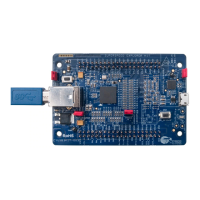
3.3 Setting up the FX3 DVK Board
The FX3 device can be configured to boot from a USB host by enumerating as a
custom device. The boot mode for the device is specified through a set of three
PMODE pins that can be controlled through some jumpers and switches on the
FX3 DVK board.
Please refer to the FX3 DVK User Guide for the jumper settings to control the
PMODE pins.
3.4 Host driver binding
The steps for installation and binding of the host drivers for different Windows
platforms are described in section 3 of the host driver help file, CyUSB.pdf,
installed as part of the USB Suite.

 To Next Page
 Loading...